

Introduction: The Shopfloor Isn’t a Data Center—and That’s the Point
If you’ve ever tried to deploy a “standard” IT cybersecurity program in a plant, you’ve probably seen the same pattern:
- Endpoint agents don’t install (or break something).
- Vulnerability scanners trip devices or crash services.
- Patch schedules collide with production schedules.
- “Just reboot it” becomes a four-hour outage with safety implications.
- The SOC sees alerts—then discovers they can’t collect logs from half the assets.
- A vendor needs remote access right now to keep the line running.
This isn’t because OT teams don’t care about security. It’s because OT security is a different discipline with different constraints, different risk priorities, and different system behaviors.
Traditional cybersecurity fails on the shopfloor because it assumes conditions that often don’t exist in OT:
- Homogeneous, modern endpoints
- Standard protocols and logging
- Frequent patching and reboots
- Centralized identity, EDR, and full telemetry
- Tolerance for brief downtime during maintenance windows
- Clear asset ownership and configuration management
Most plants have the opposite:
- Legacy controllers and Windows HMIs that cannot be upgraded easily
- Industrial protocols that were designed for reliability, not authentication
- Systems where uptime and safety are the primary KPIs
- Vendor-managed appliances and “black box” equipment
- Decades of technical debt and undocumented changes
- A workforce split across engineering, maintenance, and IT—often with unclear accountability
This article explains OT vs IT security at an architectural level, shows exactly why IT controls break down on the shopfloor, and gives you a practical, modern OT security blueprint that works with production realities.
Executive Summary (For Leaders)
- IT security prioritizes confidentiality and data integrity; OT security prioritizes safety and availability.
- Traditional IT controls fail in OT because OT systems are fragile, legacy-heavy, and built around industrial protocols and deterministic operations.
- “Patch faster” and “scan everything” are not universal truths in OT; they can cause downtime or safety risk if applied blindly.
- Effective OT security starts with visibility, segmentation, access control, and change governance, then layers detection and response designed specifically for industrial environments.
- Use zones and conduits (IEC 62443), a practical interpretation of the Purdue Model, and a phased roadmap that respects operational constraints.
OT vs IT: What Do We Mean?
What is IT (Information Technology)?
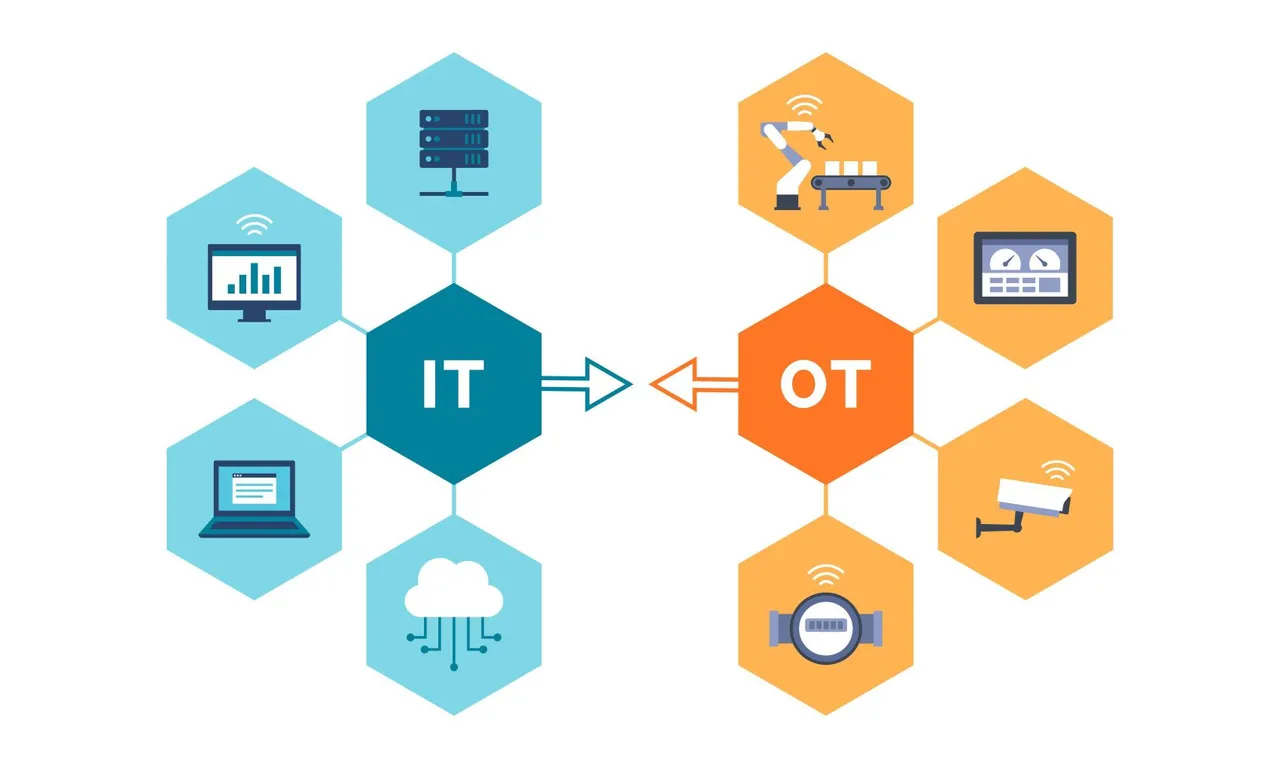
IT includes systems that store, process, and transmit information for business operations: email, ERP, HR systems, corporate networks, laptops, cloud services, and data platforms.
Primary mission: enable business productivity and protect information assets.
What is OT (Operational Technology)?
OT includes systems that monitor and control physical processes: PLCs, DCS, SCADA, HMIs, drives, robots, safety controllers, historians, sensors, and industrial networks.
Primary mission: keep the process safe, stable, and running.
Why “IT/OT Convergence” changes everything
As plants connect production systems to analytics, remote support, and optimization platforms, the boundary between IT and OT shrinks. That creates value—predictive maintenance, OEE improvements, remote operations—but also expands attack surface and introduces IT-driven change into systems that were never designed for it.
OT vs IT Security: The Core Differences That Break Traditional Cybersecurity
A useful way to understand OT security is to compare it to IT security across key dimensions.
OT vs IT Security Comparison Table
| Dimension | IT Security (Typical) | OT Security (Reality on the Shopfloor) | Why Traditional IT Security Fails |
|---|---|---|---|
| Primary objective | Protect data (confidentiality) | Protect people & production (safety + availability) | Controls that risk downtime are unacceptable |
| Change tolerance | High (frequent updates) | Low (changes can cause outages or safety issues) | Patch/reboot cadence conflicts with operations |
| Asset lifecycle | 3–5 years | 10–30+ years | Legacy devices can’t run modern agents/crypto |
| Protocols | Authenticated, encrypted (often) | Many are unauthenticated / plaintext | Network-based attacks are easier in OT |
| Monitoring | Full telemetry, SIEM/EDR | Limited logs, proprietary devices | Standard SOC tooling can be blind |
| Vulnerability scanning | Routine and aggressive | Often risky/disruptive | Scans can crash fragile endpoints |
| Identity model | Centralized IAM, SSO | Local accounts, shared logins, vendor access | Least privilege is harder to implement |
| Downtime tolerance | Minutes-hours acceptable (planned) | Downtime costs can be extreme | “Just take it offline” isn’t feasible |
| Incident response | Isolate endpoint, reimage | Isolation may stop the process | Containment must consider safety/continuity |
The CIA Triad vs the OT Reality: Safety and Availability Come First
Traditional IT security commonly prioritizes the CIA triad:
- Confidentiality
- Integrity
- Availability
OT environments often need a different ordering and additional constraints:
- Safety (human and environmental)
- Availability (continuous operation)
- Integrity (process correctness and setpoint integrity)
- Confidentiality (important, but often not the first priority during operations)
This difference creates friction when IT security teams apply “standard” tactics:
- Quarantine a machine? In IT: good containment. In OT: could stop a line or impact safety systems.
- Force MFA everywhere? In IT: good practice. In OT: can break headless workflows or emergency procedures if not designed carefully.
- Patch immediately? In IT: reduces risk. In OT: can introduce untested changes to validated systems.
OT security is not weaker IT security. It is security engineered under stricter operational constraints.
Why Traditional Cybersecurity Fails on the Shopfloor: 12 Root Causes
1) Legacy Systems and “Forever” Assets
Plants run equipment for decades. You’ll find:
- Unsupported Windows versions on HMIs or engineering workstations
- PLCs with limited memory and no built-in authentication
- Vendor appliances that cannot be modified without voiding warranty
- Custom integrations that nobody wants to touch
In IT, “end-of-life” triggers replacement. In OT, end-of-life often triggers “keep it alive.”
Failure mode: You can’t deploy modern EDR, modern encryption, or even basic patching at the same speed.
2) Industrial Protocols Weren’t Designed for Security
Many industrial protocols prioritize deterministic performance and compatibility, not security:
- Broadcast discovery, weak or absent authentication
- Commands that can be replayed
- Unencrypted traffic and easy passive inspection
- Implicit trust inside the plant network
Failure mode: Traditional IT assumptions like “internal traffic is authenticated” do not apply. Network segmentation and monitoring become essential.
3) Availability Constraints Make “Best Practice” Dangerous
In IT, you can often schedule maintenance windows and accept downtime. In OT:
- Shutdown/startup cycles can be long and expensive
- Stopping a process can waste materials or damage equipment
- Some environments operate continuously and cannot be rebooted casually
Failure mode: Patch-now, reboot-now, isolate-now playbooks can create more risk than the original vulnerability.
4) Vulnerability Scanning Can Break OT Devices
Many scanners were built for enterprise IT assets and can:
- Overload fragile embedded devices
- Trigger unexpected behavior in controllers
- Cause HMIs to freeze
- Generate network floods that interfere with real-time communications
Failure mode: “Scan everything weekly” becomes a reliability incident.
Better approach: passive discovery + carefully scoped active checks validated with operations.
5) Asset Inventory is Harder Than IT Thinks
In IT, you can query AD, MDM, EDR consoles, and cloud inventories. In OT:
- Many devices are unmanaged
- Some assets don’t speak modern management protocols
- Naming, documentation, and ownership can be unclear
- Temporary laptops or vendor devices appear during maintenance
Failure mode: Security programs collapse without accurate asset inventory—yet OT inventory is inherently harder.
6) “One Network” Anti-Pattern (Flat OT Networks)
Many plants still have large flat networks because it historically simplified operations. Flat networks allow:
- Lateral movement from a single compromised node
- Broad blast radius from misconfigurations
- Weak boundaries between IT, DMZ, and OT
Failure mode: IT-style perimeter defenses don’t help when the attacker is already inside the plant network.
7) Vendor Remote Access Becomes an Uncontrolled Backdoor
Remote access is often necessary for:
- OEM diagnostics
- Specialized configuration tools
- Emergency troubleshooting
- Firmware updates
But many plants rely on ad hoc solutions:
- Shared accounts
- Always-on VPNs
- Poorly monitored remote sessions
- “Temporary” access that becomes permanent
Failure mode: Remote access becomes the easiest initial entry point.
8) Patching is Not Just a Security Task—It’s a Production Event
In OT, patching affects:
- Validation requirements
- Vendor support contracts
- Compatibility with proprietary drivers and software
- Safety and control logic assumptions
Failure mode: IT patch SLAs are unrealistic without operational engineering change control.
9) Logging and Telemetry Are Limited
OT devices may not support:
- Standard log formats
- Centralized log forwarding
- Time synchronization
- Detailed authentication and process logs
Failure mode: The SOC is blind, or it sees incomplete data that increases false positives and erodes trust.
10) Ownership and Accountability Are Split
A typical plant may have:
- IT owning switches/firewalls
- OT engineering owning PLC programming
- Maintenance owning uptime
- Vendors owning black-box subsystems
- Corporate security owning policy
- Everyone owning “some” risk, nobody owning “the system” end-to-end
Failure mode: Controls are inconsistent and gaps persist because no single team can execute across layers.
11) Safety Systems Change the Response Model
In OT, “containment” must be safety-aware:
- Isolating a node might stop visibility or control
- Blocking a protocol might break interlocks or synchronization
- Aggressive remediation could cause unintended process behavior
Failure mode: Incident response needs plant-specific runbooks and a safety-first escalation model, not generic IT playbooks.
12) The Threat Model Is Different—and Often More Severe
IT threats often target data theft and financial fraud. OT threats can target:
- Production disruption
- Product quality manipulation
- Equipment damage
- Safety incidents
- Ransomware with physical-world impact
Failure mode: Traditional “data-centric” security misses process integrity and operational manipulation risks.
What “Attacks on the Shopfloor” Actually Look Like (Common Attack Paths)
Here are realistic ways attackers reach OT environments—without assuming Hollywood hacking.
Path A: IT compromise → lateral movement → OT jump
- Phishing compromises an IT user endpoint
- Attacker escalates privileges and enumerates network
- Finds a route to OT (misconfigured firewall, shared credentials, dual-homed host)
- Lands on a historian or engineering workstation
- Moves to PLC tooling or HMI access
Why IT controls fail: segmentation gaps and shared services create hidden bridges.
Path B: Vendor remote access compromise
- Attacker compromises vendor credentials (phishing, password reuse)
- Uses remote access portal/VPN to enter
- Access is broad because it was designed for convenience
- Attacker performs reconnaissance and manipulates process systems
Why IT controls fail: vendor workflows weren’t designed with least privilege and monitoring.
Path C: Infected portable media or maintenance laptop
- Contractor laptop connects during scheduled maintenance
- Malware spreads to HMI/engineering workstation
- OT environment has limited detection
- Impact spreads before anyone notices
Why IT controls fail: OT environments often lack endpoint visibility and strict device admission controls.
Path D: Ransomware as collateral damage
- Ransomware hits IT environment
- Shared authentication, file shares, or management tools propagate
- OT systems that rely on IT services fail (domain services, patch servers, file shares)
- Plant stops—sometimes even if PLCs are untouched
Why IT controls fail: shared dependencies mean OT can fail even when not directly targeted.
The Purdue Model: Helpful, but Not a Security Control by Itself
You’ll often hear references to the Purdue Enterprise Reference Architecture (levels 0–5). It’s useful to think about where systems live:
- Level 0: physical process
- Level 1: basic control (PLCs, RTUs)
- Level 2: supervisory control (HMIs, SCADA)
- Level 3: site operations (historians, OT services)
- Level 4: business systems (ERP)
- Level 5: enterprise network
But: Purdue is a conceptual model, not an implementation guide. Many modern architectures blur levels (cloud analytics, IIoT gateways, remote ops).
Practical interpretation: Use Purdue to design segmentation boundaries, then implement with zones and conduits (IEC 62443) and enforce with real controls.
Why “Zero Trust” in OT Is Not the Same as Zero Trust in IT
Zero Trust is valuable in OT—but only if adapted. In IT, Zero Trust often means:
- strong identity everywhere
- device posture checks
- microsegmentation
- rapid remediation
In OT, the constraints include:
- devices without identity support
- protocols without authentication
- deterministic traffic that cannot tolerate inspection overhead
- safety and uptime constraints
OT-adapted Zero Trust often becomes:
- strong identity for humans and remote access (highest ROI)
- segmentation by function and risk (zones)
- allowlisting communications (“only these PLCs talk to these HMIs”)
- passive monitoring and anomaly detection tuned for industrial baselines
- compensating controls where endpoints can’t be hardened
What Works Instead: A Practical OT Security Architecture (That Survives Production Reality)
Principle 1: Start with visibility, not enforcement
You cannot protect what you cannot see.
OT visibility program:
- passive asset discovery (no disruptive scanning)
- network mapping: who talks to whom, over what protocols
- criticality classification: safety-critical, production-critical, quality-critical
- ownership mapping: who can approve changes, who supports the asset
Deliverable: an OT asset inventory that includes function and risk, not just IP address.
Principle 2: Segment by risk using zones and conduits (IEC 62443 mindset)
Instead of one flat OT network, define zones:
- Safety zone (SIS and safety controllers)
- Basic control zone (PLCs/RTUs)
- Supervisory zone (SCADA/HMI)
- Engineering zone (programming workstations)
- OT services zone (historians, patch staging, backup)
- Industrial DMZ (between IT and OT)
Then define conduits (controlled communications paths) with:
- strict allowlists
- protocol constraints
- inspection/monitoring where feasible
- explicit ownership and change control
Result: reduced blast radius and clearer security boundaries.
Principle 3: Make remote access safe by design
Remote access is often the number one practical risk.
Best-practice OT remote access pattern:
- terminate external connections in the industrial DMZ
- require MFA and per-user accounts
- time-bound approvals (just-in-time access)
- session recording for privileged access
- jump hosts/bastions with hardened configurations
- vendor access restricted to specific assets and protocols
- no direct VPN into Level 2/1 networks
This is one of the fastest ways to cut risk without touching PLCs.
Principle 4: Use allowlisting over blocklisting (where possible)
In OT, communications are often stable. That’s an advantage.
- Allowlist known-good traffic
- Deny new or unexpected flows by default at zone boundaries
- Use change requests for modifications to allowlists
This approach aligns with deterministic operations and reduces “unknown unknowns.”
Principle 5: Patch with engineering change control, not IT urgency
In OT, patching is a lifecycle:
- Identify vulnerability and affected assets
- Assess exploitability in your environment
- Determine operational impact and safety risk
- Test in a staging environment (when possible)
- Schedule during maintenance windows or planned downtime
- Validate process behavior after patch
- Document, update baselines, and monitor
When patching isn’t possible, use compensating controls:
- tighter segmentation
- remove internet access
- disable unused services
- restrict admin access
- application allowlisting on Windows endpoints
- backup and rapid restoration plans
Principle 6: OT detection must be network-centric and baseline-driven
Because many OT endpoints can’t run EDR agents, OT security often leans on:
- passive network sensors
- industrial protocol parsers
- baseline behavior models
- alerts focused on engineering actions (logic downloads, firmware changes, unusual write commands)
The best OT detection answers questions like:
- Who changed logic?
- Which workstation initiated the change?
- Was the change authorized?
- Did a new device appear on the network?
- Did an HMI start talking to a PLC it never contacted before?
Principle 7: Incident response must be safety-aware and plant-specific
A workable OT incident response plan includes:
- a joint IT/OT incident command structure
- safety escalation triggers (when to involve safety engineering)
- containment options ranked by operational risk
- pre-approved isolation points (firewall rules, switch ports, jump host lockdown)
- offline backups of PLC programs, recipes, and golden images for HMIs
- tabletop exercises that include operations, not just IT
“Traditional Controls” vs “OT-Adapted Controls”: A Translation Guide
Control: Endpoint Detection and Response (EDR)
- IT default: install agent on every endpoint
- OT reality: many endpoints are unmanaged or fragile
- OT-adapted: EDR on Windows-based HMIs and engineering workstations (where validated), plus network-based monitoring for PLCs
Control: Vulnerability scanning
- IT default: authenticated scans weekly/monthly
- OT reality: scans can disrupt operations
- OT-adapted: passive discovery, limited active scanning in planned windows, and scanning in staging networks
Control: Patch SLAs
- IT default: patch critical vulnerabilities within days
- OT reality: patching may require downtime and validation
- OT-adapted: risk-based patching with compensating controls and strict remote access restrictions
Control: Network segmentation
- IT default: VLANs and firewalls, often app-based segmentation
- OT reality: flat networks are common, protocols are specialized
- OT-adapted: zone-based segmentation with allowlisted conduits and industrial DMZ patterns
Control: Identity and access
- IT default: SSO, MFA, least privilege, PAM
- OT reality: shared accounts and vendor access are common
- OT-adapted: prioritize MFA + PAM for remote access, engineering workstations, and privileged actions
The Human Factor: Why Culture and Incentives Make OT Security Hard
OT security programs often fail for reasons unrelated to technology:
- Different success metrics: IT is rewarded for reducing risk; OT is rewarded for uptime and throughput.
- Change fear: Plant teams have learned that “updates break things.”
- Tool mismatch: Corporate tools don’t understand industrial protocols or workflows.
- Trust gap: OT teams may see security as a blocker; IT may see OT as “undisciplined.”
The fix: shared outcomes and shared governance
- Define shared KPIs: “reduced unplanned downtime from cyber events” “reduced remote access risk” “mean time to detect engineering changes.”
- Establish an IT/OT security steering group with authority to resolve tradeoffs.
- Use a “production-first security” mantra: secure the plant without destabilizing it.
A Practical Roadmap: How to Improve OT Security in 90 Days, 6 Months, and 12 Months
First 90 Days: Reduce the biggest real-world risks fast
Focus on controls that don’t require touching PLC firmware.
Priority actions:
- Implement or harden industrial DMZ (IT ↔ OT boundary)
- Fix remote access: MFA, per-user accounts, session logging, JIT approvals
- Passive asset discovery and network mapping
- Remove direct internet access from OT assets where possible
- Establish OT change control for firewall rules and engineering workstations
- Backup strategy: PLC programs, HMI images, configuration backups (offline copies)
Deliverable: a visible OT environment with safer access paths.
3–6 Months: Segment, baseline, and formalize governance
Priority actions:
- Define zones and conduits for critical areas (start with the highest criticality line)
- Implement allowlisting at zone boundaries
- Deploy OT network monitoring tuned to industrial protocols
- Create an OT vulnerability management process (risk-based, not just scanning)
- Standardize engineering workstation builds and privilege management
- Conduct tabletop exercises with operations and safety stakeholders
Deliverable: reduced lateral movement risk and improved detection.
6–12 Months: Mature into resilient, testable, and auditable security
Priority actions:
- Expand segmentation across sites and standardize reference architectures
- Build a staging environment for patch/upgrade validation (where feasible)
- Implement continuous configuration monitoring for critical endpoints
- Integrate OT alerts into SOC with clear playbooks and escalation paths
- Formalize supplier and vendor access requirements
- Establish metrics and reporting tied to plant outcomes
Deliverable: scalable OT security program with repeatable patterns.
OT Security Metrics That Actually Matter
Avoid vanity metrics like “number of vulnerabilities” without context. Better OT metrics:
- % of OT remote access sessions using MFA and recorded
- % of critical zones with enforced conduits and allowlists
- Mean time to detect unauthorized engineering actions
- Number of unmanaged or unknown OT assets (trend down)
- % of critical assets with verified backups and restoration tests
- Time to revoke vendor access after work completion
- Frequency of baseline deviations in OT network communications
These align security improvement with operational reliability.
Common Objections—and How to Address Them
“We can’t segment; it will break operations.”
Segmentation done blindly can break things. Done correctly, it reduces risk and often improves troubleshooting. Start with visibility, model traffic, then enforce gradually with allowlists and staged rollouts.
“We can’t patch because it’s validated.”
That’s common. Use compensating controls: segmentation, access restriction, monitoring, backups, and strict remote access. Patch when the risk justifies the operational impact.
“OT is air-gapped.”
Many plants are not truly air-gapped; they have remote access, historian replication, vendor connections, or USB usage. Treat “air gap” as a hypothesis to be verified with network mapping.
“IT security policies don’t apply here.”
Some policies don’t translate, but governance must still exist. The solution is OT-adapted policy, not policy-free operations.
The Bottom Line: Why Traditional Cybersecurity Fails—and What to Do Instead
Traditional cybersecurity fails on the shopfloor because it assumes IT conditions: patchability, full telemetry, modern endpoints, and tolerance for change and downtime. OT environments prioritize safety and availability, contain long-lived and fragile assets, and rely on protocols and workflows that weren’t designed for modern security.
The winning approach is not “less security.” It’s different security:
- Start with visibility
- Segment by risk (zones and conduits)
- Secure remote access and privileged actions
- Use allowlisting where the process is deterministic
- Monitor the network and engineering actions
- Build safety-aware incident response
- Govern change and align incentives across IT and OT
FAQ
What is the difference between OT security and IT security?
IT security protects information systems and data, prioritizing confidentiality and integrity. OT security protects industrial control systems and physical processes, prioritizing safety and availability. OT systems often use legacy assets and industrial protocols that cannot be secured with standard IT tools alone.
Why does traditional cybersecurity fail in OT environments?
Traditional cybersecurity fails in OT because OT systems cannot always be patched or scanned safely, may not support endpoint agents or modern logging, and require high availability. Controls that are normal in IT can create downtime or safety risk in industrial environments.
What are the biggest OT security risks on the shopfloor?
Common high-impact risks include flat OT networks enabling lateral movement, insecure or poorly governed vendor remote access, legacy HMIs/engineering workstations, weak identity and shared credentials, and limited visibility into industrial devices and protocols.
How do you secure IT/OT convergence?
Secure IT/OT convergence by implementing an industrial DMZ, enforcing segmented zones and controlled conduits, restricting and monitoring remote access with MFA and session logging, using allowlists at OT boundaries, and deploying passive monitoring for industrial protocols.
Can you use Zero Trust in OT?
Yes, but it must be adapted. OT Zero Trust focuses on strong identity for humans and remote access, segmentation and allowlisting between zones, and network-based monitoring—because many OT endpoints and protocols cannot support full identity-based controls.
Practical Checklists
OT Security Starter Checklist (High ROI, Low Disruption)
- Build passive OT asset inventory and network map
- Implement industrial DMZ pattern between IT and OT
- Require MFA for all remote access; eliminate shared accounts
- Use jump hosts with session recording for privileged access
- Back up PLC programs and HMI configurations; test restoration
- Remove unnecessary internet access from OT assets
- Establish change control for OT network rules and engineering tools
OT Network Segmentation Checklist (Zones & Conduits)
- Define zones (safety, control, supervisory, engineering, services, DMZ)
- Baseline allowed traffic between zones
- Implement allowlists at conduit enforcement points
- Document owners and approval processes for conduit changes
- Monitor for new devices and new flows
- Validate segmentation changes during planned windows

