

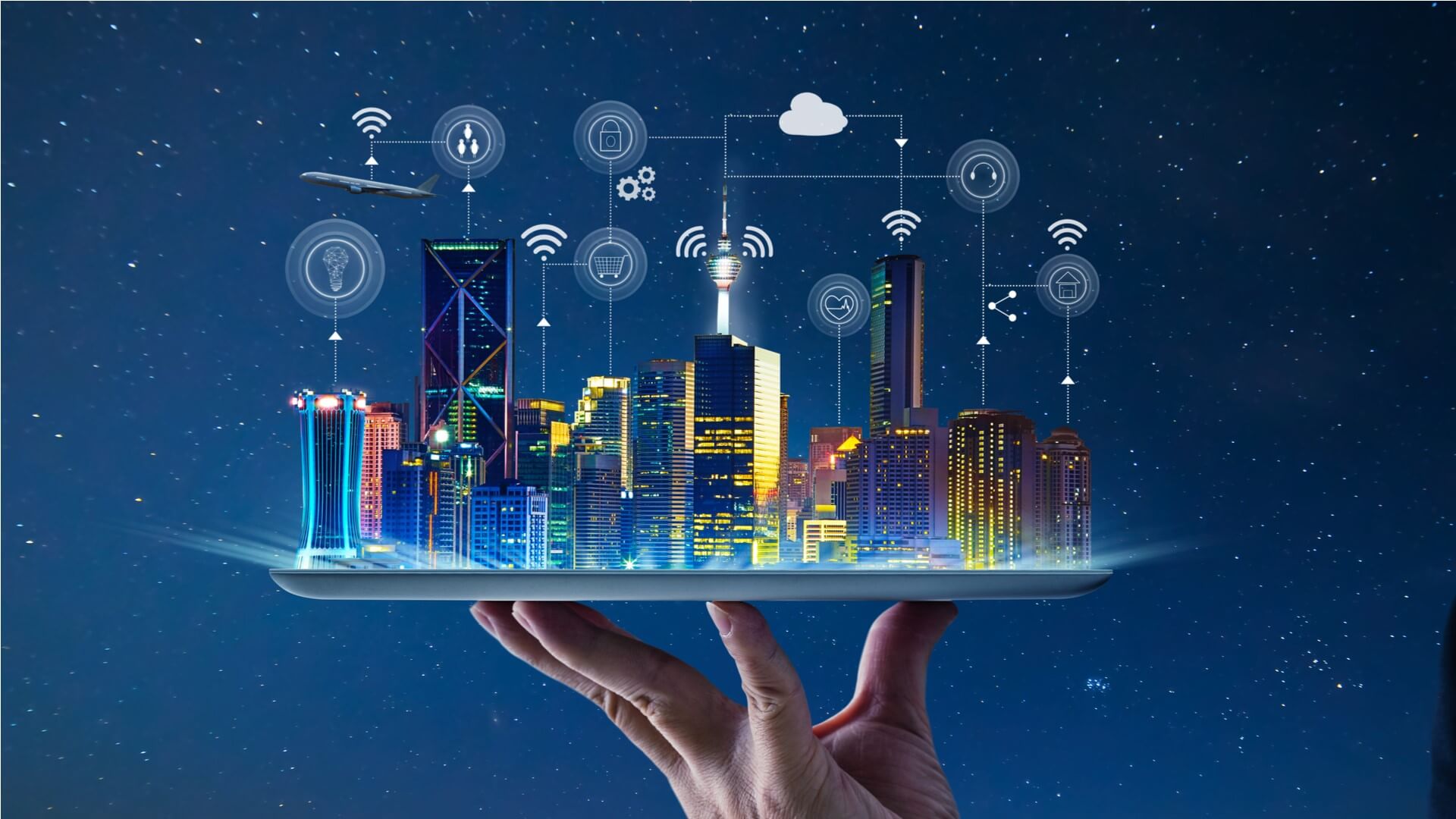
In the rapidly expanding universe of the Internet of Things (IoT), data is the new currency. From smart homes to industrial complexes, billions of interconnected devices are constantly generating a torrent of information. This vast ocean of data holds immense potential, promising to revolutionize industries, optimize operations, and enhance our daily lives. However, merely collecting data isn’t enough. The true power of IoT lies in understanding and acting upon this data – and that’s precisely where IoT Dashboards come into play.
The Essence of an IoT Dashboard
At its core, an IoT Dashboard is a visual interface that provides a centralized, real-time overview of data collected from connected devices. Think of it as the control panel for your entire IoT ecosystem. It transforms raw, often complex, sensor data into easily digestible formats such as graphs, charts, and key performance indicators (KPIs), enabling users to quickly grasp critical insights. Without a dashboard, dealing with streams of numerical data would be like trying to navigate a dense forest without a map. With an IoT Dashboard, that same forest becomes a clear, navigable landscape.
What Constitutes Raw Data in IoT?
Raw data in an IoT context can include a myriad of inputs: temperature readings from environmental sensors, vibration data from machinery, GPS coordinates from tracking devices, energy consumption figures from smart meters, occupancy levels from smart building sensors, and even highly specific metrics from specialized industrial equipment. This data, in its unprocessed state, is a series of numbers, timestamps, and identifiers – valuable but not immediately actionable.
The Transformation: From Data to Meaningful Insights
The magic of an IoT Dashboard lies in its ability to transform this raw influx of data into meaningful insights. It’s a multi-step process involving:
- Data Collection: Devices and sensors transmit data through various connectivity protocols (Wi-Fi, Bluetooth, cellular, LoRaWAN, etc.) to an IoT platform.
- Data Ingestion and Storage: The IoT platform securely receives, filters, and stores this data, often in cloud-based databases that can handle massive volumes.
- Data Processing and Analytics: Here, algorithms and analytics engines process the raw data. This can involve cleaning, normalization, aggregation, and the application of statistical models to identify patterns and anomalies.
- Data Visualization: The processed data is then rendered graphically on the dashboard. This is where charts, graphs, gauges, and other visual elements make the information accessible and understandable at a glance.
This transformation is not just about aesthetics; it’s about making data tell a story. A sudden spike in temperature on a line chart, for example, immediately conveys a potential issue that a table of raw temperature readings might obscure.
The Indispensable Role of IoT Dashboards
The importance of IoT Dashboards cannot be overstated. In an era where speed and informed decision-making are paramount, these visual tools are the bridge between data collection and concrete action. They are the intelligence layer that elevates IoT from a mere collection of connected devices to a powerful, insightful system.
Real-time Monitoring: The Pulse of Your Operations
One of the most critical functions of an IoT Dashboard is real-time monitoring. Businesses and individuals can keep a constant eye on their assets, environments, and processes as events unfold.
- Proactive Problem Detection: Imagine a manufacturing plant where hundreds of machines are operating simultaneously. A dashboard can display the operational status, temperature, vibration levels, and energy consumption of each machine. If a specific machine’s temperature starts to rise above a predefined threshold, the dashboard immediately highlights this, allowing operators to intervene before a critical failure occurs.
- Dynamic Resource Allocation: In smart city applications, dashboards can monitor traffic flow, public transport status, and energy grid load in real-time. This allows city administrators to make dynamic adjustments, such as optimizing traffic light timings or re-routing public transportation, to improve efficiency and reduce congestion.
- Environmental Insights: For agricultural businesses, dashboards can display real-time soil moisture, temperature, and nutrient levels across vast fields. This enables precision farming, where irrigation and fertilization are applied exactly where and when needed, conserving resources and maximizing yields.
Data Visualization: Making Sense of Complexity
Data visualization is not just a feature; it’s the core competency of an IoT Dashboard. The human brain processes visual information much faster than text or numbers. Well-designed visualizations can reveal patterns, trends, and anomalies that would otherwise remain hidden in a sea of data.
- Trend Identification: Line charts are invaluable for observing how specific metrics change over time. Users can quickly spot upward or downward trends, seasonality, or cyclical patterns that might indicate shifts in performance or environmental conditions.
- Comparative Analysis: Bar graphs and pie charts are excellent for comparing different datasets or the performance of various devices or locations. This allows for benchmarking and identifying areas of strength or weakness.
- Geospatial Insights: For IoT deployments spread across different geographical locations, map-based visualizations can show the real-time status and data from devices in their actual locations, offering a powerful spatial dimension to the insights.
- Alerting Critical Conditions: Gauge meters, often with color-coded zones (green for normal, yellow for caution, red for critical), provide an immediate visual cue about the status of a particular metric relative to its operational limits.
Performance Tracking: Benchmarking for Success
IoT Dashboards are instrumental in tracking performance against predefined objectives and benchmarks. This helps organizations assess the effectiveness of their IoT initiatives and identify areas for improvement.
- Operational Efficiency: For logistics companies, dashboards can track vehicle location, speed, fuel consumption, and delivery status, enabling them to optimize routes, reduce operational costs, and improve delivery times.
- Asset Utilization: In industrial settings, dashboards can monitor machine uptime, downtime, and production output, providing insights into asset utilization and helping to schedule maintenance proactively.
- Energy Management: Smart building dashboards can track energy consumption across different zones, identifying inefficiencies and opportunities for energy savings through automated controls or behavioral changes.
- Quality Control: In manufacturing, sensors can monitor various parameters during production. Dashboards can track these parameters against quality standards, flagging deviations in real-time to prevent the production of defective goods.
Predictive Maintenance: Shifting from Reactive to Proactive
One of the most transformative benefits of IoT Dashboards, combined with advanced analytics, is the enablement of predictive maintenance. Instead of waiting for equipment to break down (reactive maintenance) or performing maintenance on a fixed schedule (preventive maintenance), predictive maintenance uses data to anticipate failures.
- Anomaly Detection: Dashboards can display sensor data that indicates early signs of wear and tear, such as unusual vibrations, temperature fluctuations, or increased power draw. Machine learning models integrated with the dashboard can analyze these patterns and generate alerts when an anomaly suggestive of impending failure is detected.
- Optimized Maintenance Schedules: By predicting when a component is likely to fail, organizations can schedule maintenance operations precisely when needed, minimizing downtime, extending asset lifespan, and reducing maintenance costs. This contrasts sharply with fixed-schedule maintenance, which might result in unnecessary component replacements or missed issues between scheduled checks.
- Enhanced Safety: In critical infrastructure like power grids or transportation systems, predictive maintenance can prevent catastrophic failures, thereby enhancing safety for workers and the public.
- Reduced Operational Costs: By avoiding unexpected breakdowns and optimizing maintenance activities, businesses can significantly reduce their operational expenses, including labor costs, spare parts inventory, and lost productivity due to downtime.
Faster Decision Making: The Competitive Edge
In today’s fast-paced business environment, the ability to make rapid, informed decisions is a significant competitive advantage. IoT Dashboards provide stakeholders with immediate access to critical information, enabling them to react quickly to changing conditions.
- Operational Agility: When operators see real-time data on a dashboard, they can instantly understand the current state of affairs and make on-the-spot adjustments. For example, in a smart factory, if a machine shows signs of overheating, an operator can immediately reduce its load or initiate a shutdown sequence, averting a potential crisis.
- Strategic Insights: Beyond immediate operational decisions, aggregated data and trends displayed on dashboards can inform longer-term strategic decisions, such as investment in new equipment, optimization of production lines, or diversification of product offerings.
- Collaborative Intelligence: Dashboards can be shared across different departments within an organization, fostering a shared understanding of operational status and progress towards goals. This common operational picture facilitates collaboration and more coherent decision-making.
- Customer Responsiveness: In customer-facing IoT applications, such as home automation or smart appliances, dashboards can provide insights into product usage patterns or potential issues, allowing companies to offer proactive support and improve customer satisfaction.
Ultimately, without dashboards, IoT is merely a data generator. With dashboards, that data transforms into actionable intelligence, empowering users to make better, faster, and more impactful decisions.
A Real-Time Example: The Smart Factory
To truly appreciate the transformative power of IoT Dashboards, let’s consider a practical application: a smart factory. In this environment, countless sensors are deployed to monitor various aspects of the production process.
- Temperature sensors are strategically placed on critical machinery to monitor their operating temperatures.
- Vibration sensors are attached to motors, bearings, and other moving parts to detect abnormal vibrations that could indicate wear or impending failure.
- Energy meters track the power consumption of individual machines and entire production lines.
- Proximity sensors monitor the flow of materials and products along conveyor belts.
- Quality control sensors (e.g., vision systems) inspect products for defects.
All this data, generated continuously and in vast quantities, flows into the factory’s IoT platform. The platform processes and analyzes this data, and then displays it on a comprehensive IoT Dashboard.
On the dashboard, an operator might see:
- A line chart showing the temperature trend of a crucial milling machine over the last 24 hours.
- A gauge meter displaying the current vibration level of a robotic arm, with color coding to indicate normal, caution, and critical ranges.
- A bar graph comparing the energy consumption of different production lines throughout the week.
- A device status indicator showing which machines are operational, undergoing maintenance, or offline.
- A real-time feed of anomaly alerts.
Now, imagine a scenario: The temperature sensor on a critical machine, such as a high-precision laser cutter, starts reporting a gradual increase in temperature. The dashboard, configured with predefined thresholds, immediately highlights this anomaly.
- Visual Alert: The temperature gauge on the dashboard turns yellow, then red, drawing the operator’s attention.
- Notification: An automated alert pops up on the operator’s screen, and perhaps an email or SMS notification is sent to the maintenance team.
- Contextual Data: The operator can click on the alert to view detailed data logs, historical performance, and even a live video feed of the machine.
Armed with this immediate information, the operator or maintenance team can:
- Diagnose the Problem: Quickly identify the machine and the specific parameter (temperature) that is trending critically.
- Take Proactive Action: Instead of waiting for the machine to break down, they can schedule immediate inspection, reduce the machine’s workload, or even temporarily shut it down for repair.
- Prevent Catastrophic Failure: By intervening early, they prevent the machine from overheating to a point of critical failure, which could cause extensive damage, disrupt the entire production line, and lead to significant financial losses.
- Optimize Maintenance: The data collected during this incident can also feed into machine learning models to further refine predictive maintenance algorithms for similar machines in the future.
This example vividly illustrates how an IoT Dashboard turns raw sensor data into actionable intelligence, preventing costly failures, enhancing operational efficiency, and ultimately saving money and resources.
Exploring Popular IoT Dashboard Platforms
The market for IoT dashboard platforms is diverse and rapidly evolving, offering a wide array of solutions catering to different needs, technical proficiencies, and deployment scales. These platforms simplify the complexities of data ingestion, processing, and visualization, allowing businesses to focus on deriving insights rather than building infrastructure from scratch.
ThingsBoard
ThingsBoard is an open-source IoT platform that provides device management, data collection, processing, and visualization capabilities. It’s highly flexible and scalable, suitable for both personal projects and large-scale enterprise deployments.
- Key Features:
- Device Dashboards: Create customizable dashboards for individual devices or groups of devices.
- Rule Engine: A powerful rule engine allows users to define custom processing for incoming telemetry data, trigger alerts, and integrate with external systems.
- Asset Management: Organize devices and assets hierarchically.
- Multi-tenant Support: Ideal for solution providers offering IoT services to multiple clients.
- API Access: Robust APIs for integration with other applications.
- Use Cases: Smart agriculture, industrial automation, smart energy, smart cities, and more.
- Flexibility: Can be deployed on-premises or used as a cloud service.
Blynk
Blynk is a user-friendly platform designed for easily building mobile and web applications for IoT projects. It’s particularly popular among hobbyists, makers, and rapid prototyping scenarios due to its drag-and-drop interface and broad hardware support.
- Key Features:
- Drag-and-Drop Dashboard Builder: Create intuitive dashboards with various widgets (buttons, gauges, charts, value displays) without writing code.
- Mobile App Focus: Strong emphasis on mobile connectivity and control.
- Extensive Hardware Support: Compatible with a wide range of microcontrollers like Arduino, ESP32, Raspberry Pi.
- Push Notifications & Email Alerts: Easy setup for alerts.
- Cloud and Local Server Options: Offers flexibility for deployment.
- Use Cases: Home automation, personal projects, educational purposes, small-scale industrial monitoring.
Ubidots
Ubidots is another intuitive platform focused on making IoT development accessible. It’s known for its ease of use in connecting devices, collecting data, and creating visually appealing dashboards with minimal coding.
- Key Features:
- Device Agnostic: Supports various connectivity methods and devices.
- Drag-and-Drop Dashboards: Offers a rich set of widgets for data visualization.
- Events & Alerts: Configure alerts based on data thresholds and receive notifications via email, SMS, or webhooks.
- Data Export API: Easily export data for further analysis.
- White-labeling Options: For businesses looking to brand their IoT solutions.
- Use Cases: Asset tracking, environmental monitoring, smart farming, education, and research.
Node-RED
Node-RED is a flow-based programming tool for wiring together hardware devices, APIs, and online services in new and interesting ways. While not a standalone dashboard platform in the same vein as ThingsBoard or Ubidots, it has excellent capabilities for creating custom dashboards through its “dashboard” node.
- Key Features:
- Visual Programming Interface: Build complex data flows using a drag-and-drop paradigm.
- Extensible Palette: Thousands of nodes available for various integrations (databases, APIs, hardware protocols).
- Dashboard Node: Allows users to create a local web-based dashboard with gauges, charts, sliders, and buttons directly within Node-RED flows.
- Edge and Cloud Deployment: Can run on low-cost hardware like Raspberry Pi or in cloud environments.
- Use Cases: Rapid prototyping, custom automation, building gateways for data aggregation, integrating disparate systems, and creating lightweight, localized IoT dashboards.
AWS IoT Core
Amazon Web Services (AWS) IoT Core is a managed cloud platform that connects billions of IoT devices and routes trillions of messages to AWS services without managing infrastructure. While AWS IoT Core itself is the connectivity and messaging layer, it integrates seamlessly with other AWS services to build comprehensive IoT dashboards.
- Key Features:
- Device Connectivity: Securely connect devices using MQTT, HTTP, and LoRaWAN.
- Device Shadow Service: Maintain device state even when devices are offline.
- Rule Engine Integration: Send data to other AWS services like AWS Lambda (for custom processing), Amazon S3 (for storage), Amazon DynamoDB (for databases), and Amazon Kinesis (for real-time data streaming).
- Security: Robust security features including authentication, authorization, and encryption.
- Integration with Dashboarding Tools: Data stored in AWS services can be visualized using tools like Amazon QuickSight, Grafana, or custom web applications built on AWS. This makes it a powerful backend for highly scalable and customizable IoT dashboards.
- Use Cases: Large-scale industrial IoT, smart homes, connected vehicles, fleet management, and any application requiring massive scalability and enterprise-grade reliability.
The choice of platform depends heavily on project requirements, technical expertise, scalability needs, and budget. Whether you need a quick prototyping tool, an open-source solution for full control, or an enterprise-grade cloud service, a suitable IoT dashboard platform exists to help you visualize and understand your data.
Key Components of an IoT Dashboard
A well-designed IoT Dashboard is more than just a collection of charts; it’s a carefully curated visual story of your connected world. Each component serves a specific purpose, contributing to the overall clarity and actionability of the displayed information.
Line Charts: Unveiling Trends and Patterns
Line charts are perhaps the most fundamental and versatile visualization tool in an IoT Dashboard. They are exceptionally effective at displaying how a particular metric changes over a continuous period, revealing trends, cycles, and anomalies.
- Application: Tracking temperature variations throughout the day, monitoring energy consumption patterns over a week, observing sensor readings from a machine over its operational lifespan, or showing the fluctuation of inventory levels.
- Benefits:
- Clear Trend Identification: Easily spot upward or downward trends, seasonality, and cyclical patterns.
- Anomaly Detection: Sudden spikes or drops that deviate from the normal trend are immediately visible.
- Comparative Analysis: Multiple lines can be plotted on the same chart to compare the performance of different devices or parameters against each other.
- Example: A line chart showing the CPU temperature of a server rack over 24 hours, with a clear red line indicating the critical temperature threshold, making any overheating instantly noticeable.
Gauge Meters: Instant Threshold Monitoring
Gauge meters (or dial gauges) provide an immediate, at-a-glance indication of a single metric’s current value relative to its predefined operating range or thresholds. They mimic physical analog gauges, making them intuitively understandable.
- Application: Displaying the current pressure in a pipe, the fill level of a tank, the battery charge of a remote sensor, or the current humidity level in a server room.
- Benefits:
- Immediate Status: Instantly conveys if a value is within, approaching, or exceeding acceptable limits.
- Color-Coded Zones: Often use green (normal), yellow (caution), and red (critical) zones to quickly communicate urgency.
- Focus on Key Metrics: Ideal for highlighting critical parameters that require constant attention.
- Example: A gauge meter for soil moisture in an agricultural field, showing the current moisture level, with zones to indicate “dry,” “optimal,” and “oversaturated,” helping farmers decide when to irrigate.
Bar Graphs: Comparing and Contrasting Data
Bar graphs (or bar charts) are excellent for comparing discrete categories or showing changes in values over time when the periods are distinct. They make it easy to quickly compare magnitudes.
- Application: Comparing energy consumption across different departments, showing the number of alarms triggered by various machines, illustrating the production output of different shifts, or comparing the distribution of device types in a network.
- Benefits:
- Clear Comparisons: Visually effective for comparing values between different groups or parameters.
- Ranking: Easily discern which category has the highest or lowest value.
- Time-Series Comparisons: Can be used to compare data points over discrete time intervals (e.g., monthly sales).
- Example: A bar graph displaying the average downtime of five different production lines over the past month, allowing managers to quickly identify which lines are underperforming.
Alerts & Notifications: Proactive Intervention
While visualizations provide insights, alerts and notifications are the proactive mechanisms that demand attention when predefined conditions are met. They are crucial for shifting from reactive problem-solving to proactive intervention.
- Mechanism: Configured based on complex rules within the IoT platform’s rule engine. These rules can involve single-metric thresholds (e.g., temperature > X), multi-metric anomalies (e.g., temperature > X AND vibration > Y), or predictive analytics outcomes.
- Delivery Channels: Can be delivered through various channels:
- Dashboard Pop-ups/Flashes: Direct visual cues on the dashboard.
- Email: Detailed notifications sent to stakeholders.
- SMS: Urgent alerts for critical situations.
- Push Notifications: Mobile alerts for on-the-go monitoring.
- Webhooks: Integration with third-party systems like incident management tools or ticketing systems.
- Benefits:
- Timely Intervention: Ensures critical issues are brought to attention immediately.
- Reduced Downtime: Allows for proactive measures to prevent system failures.
- Enhanced Safety: Notifies personnel about hazardous conditions.
- Automated Responses: Can trigger automated actions (e.g., shutting down a device, activating a cooling system) in addition to notifications.
- Example: An alert notification sent to a maintenance engineer when a vibration sensor on a turbine registers values outside its normal operating range, prompting an inspection before a costly mechanical failure occurs.
Device Status Indicators: The Health of Your Network
Device status indicators provide a quick overview of the operational state and health of individual devices or entire groups of devices within the IoT ecosystem. They are often simple, color-coded icons or text.
- Application: Showing which devices are online/offline, indicating battery levels, displaying connectivity strength, or highlighting devices that require attention (e.g., a sensor that hasn’t reported data in a specified period).
- Benefits:
- Network Health at a Glance: Provides a rapid understanding of the overall health and connectivity of the IoT network.
- Troubleshooting Aid: Helps in quickly identifying devices that are disconnected or malfunctioning.
- Resource Management: Informs about devices needing battery replacement or maintenance.
- Example: A grid of small, color-coded circles representing a fleet of delivery drones: green for airborne and operational, yellow for charging, red for a grounded or problematic drone, and grey for offline.
By thoughtfully combining these components, IoT Dashboards become powerful tools for managing, monitoring, and optimizing complex IoT deployments, transforming raw data into actionable intelligence that drives smarter decisions.
The Journey from Data to Decisions: A Deeper Dive
The journey of data in an IoT ecosystem, from its inception at the sensor to its presentation on a dashboard, involves several sophisticated layers. Understanding these layers provides a holistic view of how IoT Dashboards derive their power.
Edge Layer: The Origin of Data
The Edge Layer is where the physical world meets the digital. It comprises the actual IoT devices and sensors that are collecting data.
- Devices and Sensors: These are the frontline data gatherers – temperature sensors, pressure transducers, accelerometers, cameras, GPS modules, smart meters, actuators, and countless other specialized instruments. They perceive the environment and translate physical phenomena into digital signals.
- Edge Computing (Optional but Growing): In many modern IoT architectures, a limited amount of processing, filtering, and aggregation of raw data happens at the edge, close to the data source. This reduces the volume of data transmitted to the cloud, minimizes latency, and enhances local decision-making capabilities. For instance, a smart camera might process video locally to detect anomalies before sending only relevant snapshots to the cloud.
The data generated at this layer is often high-volume, continuous, and may be sensitive to latency, making efficient data handling crucial.
Connectivity Layer: Bridging the Gap
The Connectivity Layer is the communication backbone of the IoT ecosystem. It’s responsible for securely and reliably transmitting data from edge devices to the central IoT platform.
- Connectivity Protocols: A myriad of protocols facilitate this communication, each suited for different applications based on factors like range, power consumption, data rate, and cost.
- Wi-Fi: High bandwidth, short-to-medium range, widely used in smart homes and offices.
- Bluetooth/BLE (Bluetooth Low Energy): Short-range, low power, ideal for wearables and personal area networks.
- Cellular (4G/5G/NB-IoT/LTE-M): Long-range, high bandwidth (for 4G/5G), ideal for mobile assets and remote deployments where infrastructure is limited.
- LoRaWAN/Sigfox: Long-range, low power, designed for low-data-rate applications, common in smart cities and agriculture.
- Zigbee/Z-Wave: Mesh networking protocols for short-range, low-power applications (e.g., smart home devices).
- MQTT (Message Queuing Telemetry Transport): A lightweight messaging protocol often used over TCP/IP for telemetry data.
- Gateways: Often, devices connect to local gateways that aggregate data from multiple sensors and then transmit it to the cloud using a different, more robust protocol. These gateways can also perform edge processing.
Security is paramount in this layer, as data traversing networks can be vulnerable to interception or tampering. Encryption and robust authentication mechanisms are essential.
Middleware Layer (IoT Platform): The Intelligence Hub
The Middleware Layer, often referred to as the IoT Platform, is the central nervous system of the entire IoT architecture. It performs the heavy lifting of data management, processing, and application enablement.
- Data Ingestion: Securely receives data from billions of devices, handling massive scale and diverse protocols.
- Device Management: Registering, provisioning, monitoring the health, and updating firmware of connected devices.
- Data Storage: Storing raw and processed data in various databases (time-series, relational, NoSQL) optimized for IoT workloads.
- Data Processing and Analytics:
- Stream Processing: Analyzing data in real-time as it arrives to detect anomalies, trigger alerts, or initiate immediate actions.
- Batch Processing: Analyzing large historical datasets to identify long-term trends, optimize algorithms, or generate reports.
- Machine Learning/AI: Applying algorithms to data for predictive maintenance, anomaly detection, forecasting, and more sophisticated insights.
- Rule Engine: A core component that allows users to define rules based on incoming data to trigger actions, alerts, or integration with other systems.
- API Management: Exposing APIs for application developers to build custom applications and dashboards that interact with the IoT platform’s data and functionalities.
This layer is where raw data is transformed into meaningful information, ready for consumption by end-users.
End-User Layer (IoT Dashboard): The Decision Enabler
The End-User Layer is where the fruits of the IoT ecosystem are presented to human operators and stakeholders – this is the domain of the IoT Dashboard.
- IoT Dashboard: The visual interface that aggregates, processes, and displays data from the IoT platform in an easily understandable format. It presents the raw data that has been transformed into interactive graphs, charts, tables, and KPIs.
- Custom Applications: Beyond the core dashboard, this layer also includes custom web or mobile applications built on top of the IoT platform’s APIs, providing specialized functionalities for specific use cases (e.g., a mobile app for smart home control, a dedicated web portal for fleet management).
- Real-time Interaction: Users interact with the dashboard to:
- Monitor current conditions.
- Visualize historical trends.
- Receive alerts and notifications.
- Control devices remotely (e.g., adjust thermostat settings, activate machinery).
- Generate reports and derive insights for strategic decision-making.
In essence, the End-User Layer is the accessible face of the complex IoT infrastructure. It empowers users, from factory floor operators to executive decision-makers, to harness the power of connected devices and data.
The Symbiotic Relationship: IoT Devices Generate Data, IoT Dashboards Generate Insights
The final thought resonates strongly with the core message: IoT devices are powerful tools for data collection, incessantly measuring and transmitting information about the physical world. However, without a mechanism to interpret, contextualize, and present this data, its value remains largely untapped.
IoT Dashboards complete the feedback loop. They are the interpreters, the storytellers, the navigators that transform a deluge of digital signals into clear, actionable intelligence.
- Raw Data: A series of numbers like “25.7°C, 30.2°C, 26.1°C…”
- Dashboard Insight: A line chart showing a gradual increase in temperature over the last hour, crossing a warning threshold, indicating potential equipment overheating.
- Raw Data: A stream of GPS coordinates for individual vehicles.
- Dashboard Insight: A map view showing the real-time location of an entire fleet, highlighting vehicles that are behind schedule due to traffic congestion.
- Raw Data: Numerous records of machine uptime and downtime timestamps.
- Dashboard Insight: A bar graph displaying the operational efficiency of different production lines, revealing which lines are consistently experiencing more downtime.
In today’s competitive landscape, insights are indeed power. They enable:
- Cost Savings: By optimizing resource usage, predicting failures, and improving operational efficiency.
- Increased Productivity: Through real-time monitoring and faster decision-making.
- Enhanced Customer Satisfaction: By enabling proactive service and personalized experiences.
- Strategic Advantage: By providing the data-driven foundation for innovation and market leadership.
The synergy between IoT devices and IoT dashboards is what truly unlocks the potential of the Internet of Things, transforming it from a technological novelty into a fundamental driver of progress.
Beyond the Basics: Advanced Features and Future Trends
As IoT deployments grow in scale and complexity, so too do the capabilities of IoT dashboards. Advanced features and emerging trends are continuously pushing the boundaries of what these powerful tools can achieve.
Advanced Analytics Integration
Modern IoT dashboards are increasingly integrating sophisticated analytics capabilities directly within their interfaces. This goes beyond simple data visualization to include:
- Predictive Analytics: Using historical data and machine learning models to forecast future trends, potential failures, or resource needs. For example, predicting when a machine component will likely fail based on vibration and temperature patterns.
- Prescriptive Analytics: Not just predicting what will happen, but also suggesting optimal actions to take. A dashboard might not only alert to an impending failure but also recommend specific maintenance tasks or resource reallocation.
- Root Cause Analysis: Tools within the dashboard can help pinpoint the underlying causes of anomalies or performance deviations by correlating data from multiple sources.
- Anomaly Detection Algorithms: Automatically identifying unusual patterns in sensor data that might indicate a problem, often going unnoticed by human operators.
Digital Twins
The concept of a “digital twin” is gaining significant traction in industrial IoT. A digital twin is a virtual replica of a physical asset, process, or system. IoT dashboards play a crucial role in visualizing and interacting with these digital twins.
- Real-time Synchronization: The dashboard displays data from physical sensors, updating the digital twin in real-time, providing an accurate, living model of its real-world counterpart.
- Simulation and Optimization: Users can run simulations on the digital twin through the dashboard to test changes, predict outcomes, and optimize performance without impacting the physical system.
- Remote Monitoring and Control: The dashboard acts as the interface to monitor the digital twin and, by extension, the physical asset, allowing for remote diagnostics and control.
- “What If” Scenarios: Explore different operational scenarios by manipulating the digital twin and observing the predicted results on the dashboard.
Augmented Reality (AR) and Virtual Reality (VR) Dashboards
Emerging technologies like AR and VR are beginning to find their way into IoT dashboard applications, offering immersive and intuitive ways to interact with data.
- AR Overlays: An AR dashboard could overlay real-time sensor data and operational status directly onto a physical machine when viewed through a tablet or AR headset. Imagine walking through a factory floor and seeing the temperature, pressure, and operational alerts floating above each piece of equipment.
- VR Control Rooms: VR environments could create immersive control rooms where operators can virtually “walk through” a smart city or a large industrial plant, interacting with 3D models of assets and accessing their data through holographic dashboard displays.
- Enhanced Spatial Awareness: These technologies provide a powerful sense of spatial context to IoT data, which is especially valuable for large, distributed systems.
Voice and Natural Language Processing (NLP) Interfaces
The future of IoT dashboards will likely involve more natural, conversational interfaces.
- Voice Commands: Users could simply ask their dashboard, “What is the current temperature in Warehouse 3?” or “Show me the energy consumption trends for Section B,” and receive verbal or visual responses.
- Natural Language Queries: Instead of complex filter operations, users might type questions in plain English, and the dashboard’s NLP engine would translate these into data queries and present the relevant visualizations.
- Accessibility: This will improve accessibility for operators who may not be proficient with traditional graphical interfaces or who need to interact with the dashboard while performing other tasks.
Ethical Considerations and Data Privacy
As IoT dashboards become more sophisticated and collect increasingly intimate data, ethical considerations and data privacy become paramount. Future dashboards will need to incorporate robust features for:
- Data Governance: Transparent policies and tools for managing who has access to what data and for what purpose.
- Anonymization and Pseudonymization: Techniques to protect personal and sensitive data while still allowing for valuable insights.
- Consent Management: Clear mechanisms for obtaining and managing user consent for data collection and usage.
- Audit Trails: Comprehensive logging to ensure accountability and track all data access and modifications.
These advanced features and trends highlight the continuous evolution of IoT dashboards from mere data display tools to intelligent, interactive, and integral components of smart ecosystems, poised to drive even greater levels of efficiency, decision-making, and transformative innovation.
Final Thought: Insights = Power
The journey from raw data to actionable insights is the ultimate value proposition of the Internet of Things. IoT devices are the tireless collectors, providing the fuel. IoT dashboards are the engines that refine this fuel into pure, unadulterated power – the power of knowledge, foresight, and control.
In today’s dynamic and competitive world, businesses and individuals alike are constantly seeking an edge. That edge comes from understanding what’s happening, why it’s happening, and what needs to be done about it – quickly and effectively. IoT dashboards deliver this understanding in an unparalleled fashion. They convert the noise of vast datasets into crystal-clear signals, guiding decisions that optimize processes, conserve resources, prevent costly failures, and unlock new opportunities.
So, while the devices generate data, it is the dashboards that generate the insights. And in a world increasingly driven by information, those insights are not just a benefit; they are the very essence of power. The power to innovate, to lead, and to shape a smarter, more efficient future.
Ready to Transform Your IoT Data into Decisive Action?
At IoT Worlds, we specialize in crafting bespoke IoT dashboard solutions that unlock the true potential of your connected ecosystem. Whether you’re looking to monitor assets, optimize operations, or gain competitive intelligence, our experts are ready to help you turn your data into a strategic asset.
Send an email to info@iotworlds.com today to discover how we can empower your business with cutting-edge IoT dashboard intelligence.
