

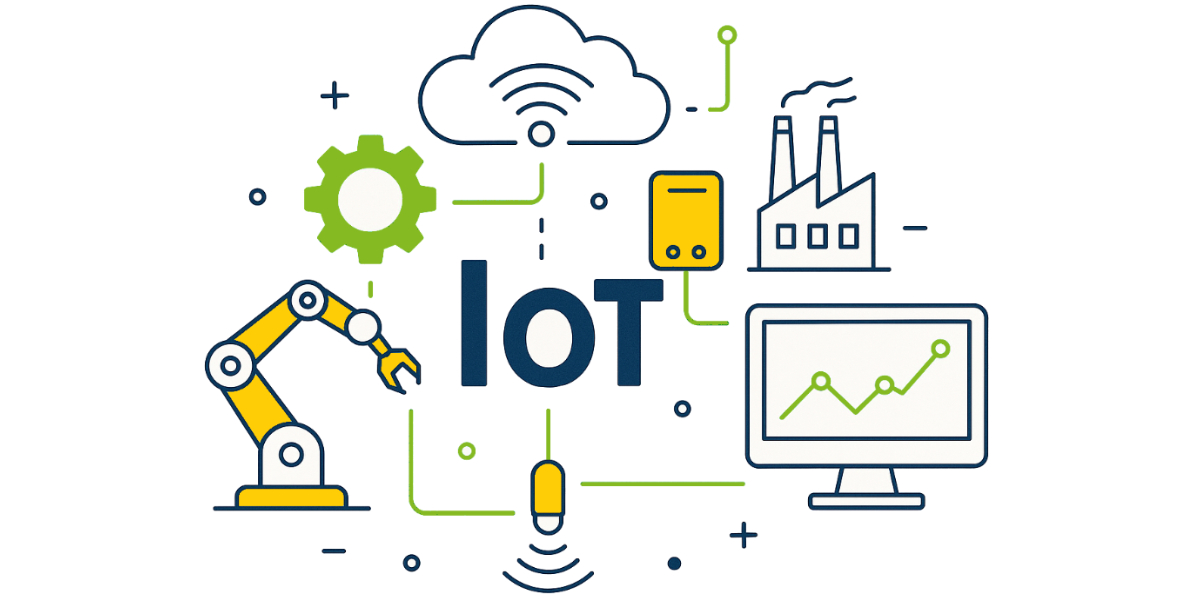
The Internet of Things (IoT) is no longer a futuristic concept; it’s a present-day reality, seamlessly integrating into our homes, cities, and industries. From smart thermostats that learn our preferences to industrial sensors optimizing manufacturing processes, IoT is transforming how we interact with the physical world. For many, the sheer breadth of this field can be daunting. Where do you even begin to unravel the complexities of connected devices, data streams, and cloud platforms?
This comprehensive guide is your step-by-step roadmap to mastering IoT. We’ll demystify the essential components, foundational knowledge, and practical skills required to become a proficient IoT developer or enthusiast. Whether you’re a student, a seasoned engineer looking to upskill, or simply curious about this revolutionary technology, this roadmap will provide the clarity and direction you need to embark on your IoT journey.
1. Laying the Foundation: Learning the Basics
Before you can build intricate connected systems, you need a solid understanding of the fundamental building blocks. This initial phase is crucial for developing the intuition and problem-solving skills necessary for IoT development.
1.1. Basic Electronics: The Heartbeat of IoT
At its core, IoT deals with physical devices, and these devices are inherently electronic. Understanding basic electronics is paramount to comprehending how IoT hardware functions, how to troubleshoot issues, and how to design your own circuits.
1.1.1. Essential Electronic Components and Their Functions
Begin by familiarizing yourself with fundamental electronic components. These are the vocabulary of hardware:
- Resistors: Components that resist the flow of electrical current. They are used to limit current, divide voltage, and create time delays. Understanding Ohm’s Law (V=IR) is fundamental here.
- Capacitors: Devices that store electrical energy in an electric field. They are used for filtering, smoothing power supplies, and timing circuits.
- Diodes: Components that allow current to flow in only one direction. LEDs (Light Emitting Diodes) are a common type of diode seen in many IoT projects.
- Transistors: Semiconductor devices used to amplify or switch electronic signals and electrical power. They are the building blocks of microcontrollers and microprocessors.
- Inductors: Components that store energy in a magnetic field. They are used in power supplies, filters, and oscillating circuits.
- Sensors: Devices that detect and respond to events or changes in their environment, converting physical phenomena (like temperature, light, motion) into electrical signals. Examples include temperature sensors (DHT11, LM35), light sensors (LDR), and motion sensors (PIR).
- Actuators: Devices that convert electrical energy into physical motion or action. They are the “output” of an IoT system, allowing devices to interact with their environment. Examples include motors, relays, and solenoids.
1.1.2. Circuit Design and Prototyping
Learning about individual components is one thing; understanding how to connect them to perform a specific function is another.
- Breadboards: These are indispensable tools for prototyping electronic circuits without soldering. They allow you to quickly connect components and test your designs.
- Multimeter: A crucial diagnostic tool to measure voltage, current, and resistance in a circuit. Learning how to properly use a multimeter for debugging is invaluable.
- Power Supplies: Understanding how to provide stable and appropriate power to your circuits is critical. This includes understanding voltage regulators and battery management.
- Schematics and PCB Design (Basic Understanding): While you don’t need to be a PCB designer initially, being able to read basic circuit diagrams (schematics) is essential for understanding how devices are wired.
1.2. Programming Languages: Bringing Hardware to Life
Hardware is inert without software to control it. Programming is the language that allows you to instruct your IoT devices what to do, how to process data, and how to communicate.
1.2.1. C/C++: The Foundation for Embedded Systems
C and C++ are the workhorses of embedded systems programming. Many microcontrollers are programmed directly using these languages due to their efficiency, low-level control, and direct memory access.
- Syntax and Structure: Understand core concepts like variables, data types, control structures (if/else, loops), functions, and pointers.
- Memory Management: C/C++ offer fine-grained control over memory, which is critical in resource-constrained IoT devices.
- Interfacing with Hardware: Learn how to read from sensors, write to actuators, and control peripherals using C/C++ libraries provided for your development boards.
- Performance Optimization: Given the limited resources of many IoT devices, optimizing your C/C++ code for speed and memory efficiency is a valuable skill.
1.2.2. Python: Versatility for Higher-Level IoT Applications
Python has emerged as an incredibly popular language in the IoT ecosystem, especially for applications running on more powerful single-board computers like the Raspberry Pi, cloud-side integrations, and data analysis.
- Readability and Ease of Use: Python’s clear syntax and extensive libraries make it excellent for rapid prototyping and complex data processing.
- Libraries for IoT: Python boasts a rich ecosystem of libraries for various IoT tasks, including web frameworks (Flask, Django), data science (NumPy, Pandas), and specific IoT protocols (Paho-MQTT).
- Scripting and Automation: Python is ideal for automating tasks, managing data flows, and building sophisticated back-end systems for IoT applications.
- MicroPython: A lean and efficient implementation of Python 3 that runs on microcontrollers. This allows you to leverage Python’s simplicity even on resource-constrained devices like the ESP32.
1.3. Microcontrollers: The Brains of the Operation
Microcontrollers are small, self-contained computers designed to perform specific tasks. They are at the heart of almost every IoT device, responsible for running the code that interacts with sensors, actuators, and communication modules.
1.3.1. Understanding Microcontroller Architecture
- CPU (Central Processing Unit): The “brain” that executes instructions.
- Memory (RAM, Flash): RAM (Random Access Memory) for temporary data storage, Flash memory for program storage.
- Peripherals: Special-purpose hardware components integrated into the microcontroller, such as Analog-to-Digital Converters (ADCs), Digital-to-Analog Converters (DACs), timers, and various communication interfaces (UART, SPI, I2C).
- Input/Output (I/O) Pins: These pins allow the microcontroller to interact with external components, sending and receiving electrical signals.
1.3.2. How Microcontrollers Execute Code
- Compilation and Flashing: Code written in C/C++ is compiled into machine-readable instructions and then “flashed” (uploaded) onto the microcontroller’s Flash memory.
- Bootloader: A small program that runs when the microcontroller powers on, responsible for initializing the system and loading your application code.
- Registers: Special memory locations within the microcontroller that control its various functions and peripherals. Programming often involves manipulating these registers directly or indirectly through libraries.
2. Hands-On Exploration: Working with Development Boards
Theory is essential, but practical application solidifies understanding. Development boards provide convenient platforms to experiment with microcontrollers, sensors, and actuators without needing to design complex custom circuits from scratch.
2.1. Arduino: The Gateway to Embedded Programming
Arduino is an open-source electronics platform based on easy-to-use hardware and software. It’s an excellent starting point for beginners due to its simplicity, vast community support, and extensive libraries.
- Arduino IDE: The Integrated Development Environment (IDE) provides a simplified interface for writing, compiling, and uploading C++ code (often referred to as “sketches”) to Arduino boards.
- Arduino Boards (Uno, Nano, Mega): Each board has different specifications regarding processing power, memory, and available I/O pins. Start with an Arduino Uno, as it’s widely supported and has many tutorials.
- Libraries: Arduino’s strength lies in its rich collection of libraries that abstract away complex hardware interactions, making it easier to control sensors, displays, and communication modules with just a few lines of code.
2.2. ESP32: Wi-Fi and Bluetooth Powerhouse for IoT
The ESP32 is a low-cost, low-power microcontroller with integrated Wi-Fi and Bluetooth capabilities, making it ideal for internet-connected IoT projects.
- Built-in Connectivity: The native Wi-Fi and Bluetooth capabilities simplify the process of connecting your devices to the internet or other local devices.
- Dual-Core Processor: Many ESP32 boards feature a powerful dual-core processor, allowing for more complex computations and multi-tasking.
- Development Environments: You can program the ESP32 using the Arduino IDE (with an additional board manager), MicroPython, or the Espressif IoT Development Framework (ESP-IDF) for more advanced C/C++ development.
- Power Efficiency: Its low-power consumption makes it suitable for battery-operated IoT devices.
2.3. Raspberry Pi: A Linux-Powered Mini-Computer
Unlike microcontrollers, the Raspberry Pi is a single-board computer (SBC) that runs a full-fledged operating system (typically Linux). This makes it capable of much more complex tasks, including hosting web servers, running databases, and performing advanced data analytics at the edge.
- Operating System: Running Linux (like Raspberry Pi OS) provides a familiar desktop-like environment, allowing you to use command-line tools, install software, and write scripts in various languages (Python being very popular).
- Processing Power: Raspberry Pi boards offer significantly more processing power and memory compared to microcontrollers, enabling more demanding applications.
- Connectivity: Ethernet, Wi-Fi, and Bluetooth are typically built-in, offering versatile networking options.
- GPIO (General Purpose Input/Output): Despite being a full computer, the Raspberry Pi still exposes GPIO pins that allow it to interact with electronic components, making it a powerful platform for IoT projects that require more computational muscle.
2.4. GPIO, Sensors, and Actuators: The Interaction Layer
No matter which development board you choose, understanding how to interact with the physical world through GPIO pins, sensors, and actuators is fundamental.
2.4.1. General Purpose Input/Output (GPIO)
GPIO pins are the interface between your microcontroller/SBC and external electronic components.
- Digital I/O: Pins that can be set to either a HIGH (voltage present) or LOW (no voltage) state, or read as HIGH or LOW. Used for controlling LEDs, reading button presses, and communicating with digital sensors.
- Analog I/O: Pins that can read or output a range of voltage values. Microcontrollers typically have Analog-to-Digital Converters (ADCs) to convert analog sensor readings into digital values. Some also have Digital-to-Analog Converters (DACs) to output analog voltages.
- PWM (Pulse Width Modulation): A technique used to simulate analog output using digital pins, often used for dimming LEDs, controlling motor speed, or generating analog-like signals.
- Pull-up/Pull-down Resistors: Internal or external resistors used to ensure a default state for digital input pins when nothing is connected, preventing “floating” inputs.
2.4.2. Interfacing with Sensors
Sensors convert physical phenomena into electrical signals that your development board can interpret. Learn to connect various types of sensors:
- Analog Sensors: (e.g., potentiometers, thermistors, LDRs) connected to analog input pins.
- Digital Sensors: (e.g., push buttons, limit switches, many temperature/humidity sensors like DHT11/22) connected to digital input pins.
- Communicating Sensors: Many advanced sensors use serial communication protocols like I2C (Inter-Integrated Circuit) or SPI (Serial Peripheral Interface) to send data. These protocols allow multiple devices to share the same communication lines.
2.4.3. Controlling Actuators
Actuators allow your IoT device to take action in the physical world.
- LEDs: The “Hello World” of output, teaching you how to control simple digital outputs.
- Buzzers/Speakers: For audible feedback.
- Relays: Electrically operated switches that allow a low-power signal from your board to control a higher-power device (e.g., household appliances).
- Motors (DC, Servo, Stepper): Used for creating motion. DC motors are simple, servos provide precise angular control, and stepper motors offer precise positional control.
3. The Connected World: Understanding Communication Protocols
The “Internet” in IoT implies connectivity. Devices need to communicate with each other, with local networks, and with the cloud. Understanding these communication protocols is fundamental to building a working IoT system.
3.1. Wi-Fi: Ubiquitous Wireless Connectivity
Wi-Fi is the most common wireless technology for connecting IoT devices to the internet, leveraging existing home and office networks.
- Wireless Standards (802.11): Understanding the different Wi-Fi standards (e.g.,
802.11b/g/n/ac/ax) helps in choosing appropriate hardware and understanding performance characteristics. - Network Configuration: Learn how to configure your IoT device to connect to a Wi-Fi network, including SSID (network name) and password.
- IP Addressing: Grasp the basics of IP addresses (IPv4 and IPv6), subnet masks, and gateways, which are essential for devices to locate each other on a network.
- TCP/IP Stack: A conceptual model that describes how network protocols interact. Understanding TCP (Transmission Control Protocol) and IP (Internet Protocol) is foundational for internet communication.
3.2. Bluetooth: Short-Range, Low-Power Communication
Bluetooth is ideal for short-range communication between devices, often used for direct device-to-device interaction, local data exchange, and connecting wearables.
- Bluetooth Classic vs. Bluetooth Low Energy (BLE): Understand the differences. BLE is designed for very low power consumption, making it suitable for battery-powered IoT sensors and wearables, often at the cost of data throughput.
- Profiles: Bluetooth uses profiles to define how devices communicate and what data they exchange (e.g., GATT for BLE).
- Pairing and Security: Learn about the pairing process and basic security considerations for Bluetooth connections.
3.3. MQTT: The Lightweight Messaging Protocol for IoT
MQTT (Message Queuing Telemetry Transport) is a lightweight, publish-subscribe messaging protocol designed for constrained devices and unreliable networks. It’s widely adopted in IoT for its efficiency and simplicity.
- Publish-Subscribe Model: Instead of direct device-to-device communication, devices publish messages to a “broker” on specific “topics,” and other devices subscribe to those topics to receive messages. This decouples senders and receivers.
- MQTT Broker: A central server that receives all messages from publishers and forwards them to appropriate subscribers.
- Topics: Hierarchical strings (e.g.,
home/livingroom/temperature) that define categories for messages. - Quality of Service (QoS): MQTT offers different levels of QoS (0, 1, 2) to guarantee message delivery, from “fire and forget” to “exactly once.”
- Use Cases: Ideal for sensor data submission, remote control of actuators, and general M2M (Machine-to-Machine) communication in resource-constrained environments.
3.4. HTTP (and REST APIs): The Web’s Backbone for IoT
HTTP (Hypertext Transfer Protocol) is the foundation of the world wide web and is also used extensively in IoT, particularly for communicating with cloud platforms and web services.
- Request-Response Model: Unlike MQTT’s publish-subscribe, HTTP operates on a request-response model where a client sends a request to a server, and the server sends back a response.
- RESTful APIs: Representational State Transfer (REST) is an architectural style for designing networked applications. IoT devices often interact with cloud platforms via RESTful APIs to send data, retrieve commands, or manage device configurations.
- JSON/XML: Data formats commonly used with HTTP to exchange structured information between devices and services. JSON (JavaScript Object Notation) is particularly popular due to its lightweight nature.
- When to Use HTTP: Suitable for less frequent data transfers, device configuration, command and control that doesn’t require real-time updates, and integration with existing web services.
4. Reaching for the Sky: Connecting to the Cloud
The true power of IoT emerges when devices connect to the cloud. Cloud platforms provide scalable infrastructure for data storage, processing, analytics, and device management, going far beyond the capabilities of individual devices.
4.1. Cloud Platforms for IoT
Major cloud providers offer specialized IoT services designed to handle the unique challenges of connected devices, including massive data ingestion, diverse device types, and robust security.
- AWS IoT Core: Amazon Web Services’ (AWS) IoT platform provides services for connecting, managing, and securing billions of IoT devices. It includes features like Device Gateway, Message Broker (MQTT support), Device Registry, and Device Shadow.
- Google Cloud IoT Core: Google’s offering for IoT device management and data ingestion, allowing you to easily connect, manage, and ingest data from globally dispersed devices. Integrated with other Google Cloud services for analytics and machine learning.
- Microsoft Azure IoT Hub: Microsoft’s managed service for bi-directional communication between your IoT application and the devices it manages. It provides capabilities for device-to-cloud telemetry, file upload, and request-reply methods to control devices from the cloud.
- Key Capabilities of Cloud IoT Platforms:
- Device Onboarding and Management: Securely register and provision new devices.
- Data Ingestion: Scalably receive data from millions of devices.
- Rule Engines: Process and route incoming data based on predefined rules.
- Data Storage: Store device data in databases for historical analysis.
- Security and Authentication: Implement robust security measures for device identity and data transfer.
- Over-the-Air (OTA) Updates: Remotely update device firmware.
4.2. Sending Data to Cloud Platforms
Once your device is connected, the next step is to send its collected sensor data to the cloud. This typically involves using one of the communication protocols discussed earlier.
- MQTT-based Data Transmission: Most cloud IoT platforms support MQTT. Devices publish data to specific topics on the cloud’s MQTT broker, which then routes the data to other services. This is often preferred for continuous sensor telemetry due to its efficiency.
- HTTP/REST API Calls: Devices can make HTTP POST requests to cloud API endpoints to send data. This is suitable for less frequent data submissions or when interacting with more traditional web services.
- Data Formats (JSON, Protobuf): Send data in structured formats like JSON (most common) or Protocol Buffers (more efficient for very high data volumes).
4.3. Creating Dashboards and Real-time Monitoring
Once data is in the cloud, visualizing and monitoring it becomes crucial for insights and operational awareness.
- Visualization Tools: Cloud platforms offer built-in dashboarding services (e.g., AWS IoT Analytics, Google Cloud IoT Core with Data Studio, Azure IoT Central) or integrate with third-party tools like Grafana, Kibana, or Tableau.
- Real-time Data Processing: Cloud platforms can process incoming data streams in real-time, allowing for immediate alerts, anomaly detection, and dynamic adjustments to device behavior.
- Alerting and Notifications: Set up rules to trigger alerts (email, SMS, push notifications) when data crosses certain thresholds or anomalies are detected.
- Historical Data Analysis: Store data in databases (time-series databases are often preferred for IoT) to perform historical analysis, identify trends, and generate reports.
- Device Control from the Cloud: Dashboards and cloud services also allow you to send commands back to your IoT devices, enabling remote control and configuration.
5. Fortifying Your System: Focus on Security
Security in IoT is not an afterthought; it must be designed into every layer of your system from the ground up. The distributed nature of IoT devices, their direct interaction with the physical world, and the sensitive data they handle make them prime targets for cyberattacks.
5.1. Authentication: Proving Identity
Authentication verifies the identity of devices, users, and services before they can interact with the IoT system.
- Device Authentication:
- X.509 Certificates: Industry-standard digital certificates used to establish trust and cryptographically verify device identities. Each device has a unique certificate.
- Shared Keys: While simpler, shared keys (passwords) are less secure for a large number of devices due to the difficulty of managing and revoking them. Use them cautiously and with other security layers.
- Hardware Security Modules (HSMs): Dedicated hardware components that provide secure storage for cryptographic keys and perform cryptographic operations, making it extremely difficult to extract keys from the device.
- User/Application Authentication: Use standard methods like OAuth 2.0 or API keys for authenticating users and applications interacting with the IoT cloud platform.
5.2. Encryption: Protecting Data in Transit and at Rest
Encryption scrambles data to prevent unauthorized access, ensuring confidentiality as data moves across networks and when it’s stored.
- Encryption in Transit (TLS/SSL):
- Transport Layer Security (TLS) / Secure Sockets Layer (SSL): Essential for securing communication between IoT devices and cloud platforms, as well as between devices and local gateways. TLS encrypts data during transmission, preventing eavesdropping and tampering.
- MQTT over TLS (MQTTS): Using TLS with MQTT ensures that all messages exchanged with the broker are encrypted.
- HTTPS: HTTP over SSL/TLS, standard for secure web communication, also applicable for IoT devices interacting with web services.
- Encryption at Rest: Encrypt sensitive data stored on the device itself (e.g., configuration files, credentials) and in cloud databases to protect it from unauthorized access even if storage is compromised.
5.3. Secure Data Transfer: Integrity and Non-Repudiation
Beyond confidentiality, secure data transfer also ensures the integrity of data (it hasn’t been altered) and non-repudiation (proving who sent the data).
- Message Integrity (Hashing): Using cryptographic hash functions (e.g., SHA-256) to generate a unique “fingerprint” of the data. If the data is tampered with, the hash will change, indicating a breach of integrity.
- Digital Signatures: Combine hashing with encryption to digitally sign messages. This proves the authenticity of the sender and the integrity of the message, ensuring non-repudiation.
- Secure Boot: A process that ensures only trusted and authorized software can run on an embedded device, protecting against malicious firmware injection.
- Regular Security Audits and Updates: Continuously monitor your IoT system for vulnerabilities and promptly apply security patches and firmware updates to address newly discovered threats. This is especially critical for devices deployed in the field.
- Physical Security: Don’t forget the importance of physical security for IoT devices, especially those in accessible locations. Tampering with hardware can bypass software security measures.
6. Real-World Application: Building Projects
The culmination of your learning journey is to apply your knowledge to build practical projects. Projects demonstrate your understanding, hone your skills, and provide tangible examples of your capabilities.
6.1. Smart Home: Automating Your Environment
Smart home projects are an excellent starting point, as they directly impact your daily life and often involve a variety of sensors, actuators, and communication methods.
- Automated Lighting System: Control lights based on motion detection, time of day, or ambient light levels.
- Components: PIR sensor, LDR (light-dependent resistor), LEDs, relay module (for AC lights), Arduino/ESP32, Wi-Fi connectivity.
- Learning: Digital input/output, analog input, time-based logic, basic Wi-Fi and MQTT for control.
- Smart Thermostat/Environmental Monitor: Monitor temperature and humidity, and potentially control heating/cooling.
- Components: DHT11/DHT22 temperature/humidity sensor, ESP32, MQTT to cloud, simple web dashboard.
- Learning: Sensor data acquisition, data transmission to cloud, basic data visualization.
- Smart Door Lock/Access Control: An advanced project involving authentication and control.
- Components: Solenoid lock, keypad or RFID reader, ESP32, cloud communication for remote access/monitoring.
- Learning: Actuator control, authentication logic, secure communication.
6.2. Weather Monitoring System: Data Collection and Analysis
A weather station is a classic IoT project that teaches you about data collection from multiple sensors, data logging, and presentation.
- Local Weather Station: Collect data on temperature, humidity, atmospheric pressure, and possibly rainfall.
- Components: DHT22, BMP180/BMP280 pressure sensor, rain gauge (DIY or commercial), ESP32, Wi-Fi.
- Learning: Multiple sensor integration, data aggregation, sending data to a cloud platform (e.g., Thingspeak, Ubidots), displaying data on a local screen or web dashboard.
- Advanced Weather Station with Wind Speed/Direction:
- Components: Anemometer, wind vane, more complex data processing, potentially solar power.
- Learning: Advanced sensor interpretation, power management for outdoor devices.
6.3. Smart Energy Meter: Monitoring Consumption
Understanding and optimizing energy consumption is a critical application of IoT, contributing to sustainability and cost savings.
- Household Energy Monitor: Measure the energy consumption of individual appliances or your entire home.
- Components: Current sensor (e.g., non-invasive current transformer SCT-013), ESP32, Wi-Fi, cloud integration.
- Learning: Analog signal processing, calculating power and energy, real-time data streaming, data analysis to identify energy hogs.
- Solar Power Monitoring System: Track the output of solar panels and battery charge levels.
- Components: Voltage and current sensors for DC circuits, ESP32, cloud platform for long-term data logging and analysis.
- Learning: Bi-directional current sensing, battery management basics, long-term data trends.
6.4. The Importance of Projects
- Practical Experience: Projects translate theoretical knowledge into practical skills, helping you understand the real-world challenges and solutions in IoT.
- Debugging Skills: You will inevitably encounter problems. Debugging your code and hardware is an invaluable skill developed through project work.
- Portfolio Building: Completed projects serve as a portfolio to showcase your abilities to potential employers or collaborators.
- Problem-Solving: Each project presents unique challenges, fostering your problem-solving and critical thinking abilities.
- Learning New Technologies: Projects often push you to learn new libraries, sensors, communication protocols, or cloud services that you might not have covered in your initial learning.
IoT Success: The Synergy of Disciplines
Ultimately, mastering IoT is about understanding the seamless integration of several diverse yet interdependent fields:
- Electronics: The foundational understanding of how hardware works, from basic components to intricate microcontrollers. It enables you to design, build, and troubleshoot the physical layer of your connected devices.
- Programming (Coding): The ability to breathe life into hardware, instructing devices on how to collect data, process information, make decisions, and communicate with the wider world.
- Networking: The knowledge of various communication protocols (Wi-Fi, Bluetooth, MQTT, HTTP) that allow devices to talk to each other, to local networks, and to the internet, forming the intricate web of connectivity.
- Cloud: The infrastructure that provides scalability, data storage, powerful analytics, and global accessibility, transforming raw device data into actionable insights and enabling remote management.
Consistency is the key 🔥. The worlds of IoT are vast and constantly evolving. Embrace a mindset of continuous learning. Stay curious, experiment with new technologies, and keep building. Each new project will deepen your understanding and broaden your capabilities.
Ready to Connect Your World?
The journey into IoT is thrilling and immensely rewarding. As you progress through this roadmap, you’ll gain the skills to innovate, solve real-world problems, and shape the connected future. If you’re looking to turn your IoT ideas into reality, to develop robust and scalable solutions, or to navigate the complexities of this exciting domain, IoT Worlds is here to help.
We offer expertise in every stage of the IoT lifecycle, from concept and hardware design to cloud integration, data analytics, and security. Let us empower your vision with our in-depth knowledge and cutting-edge solutions.
Take the next step in your IoT journey – reach out to us today!
Email: info@iotworlds.com
