

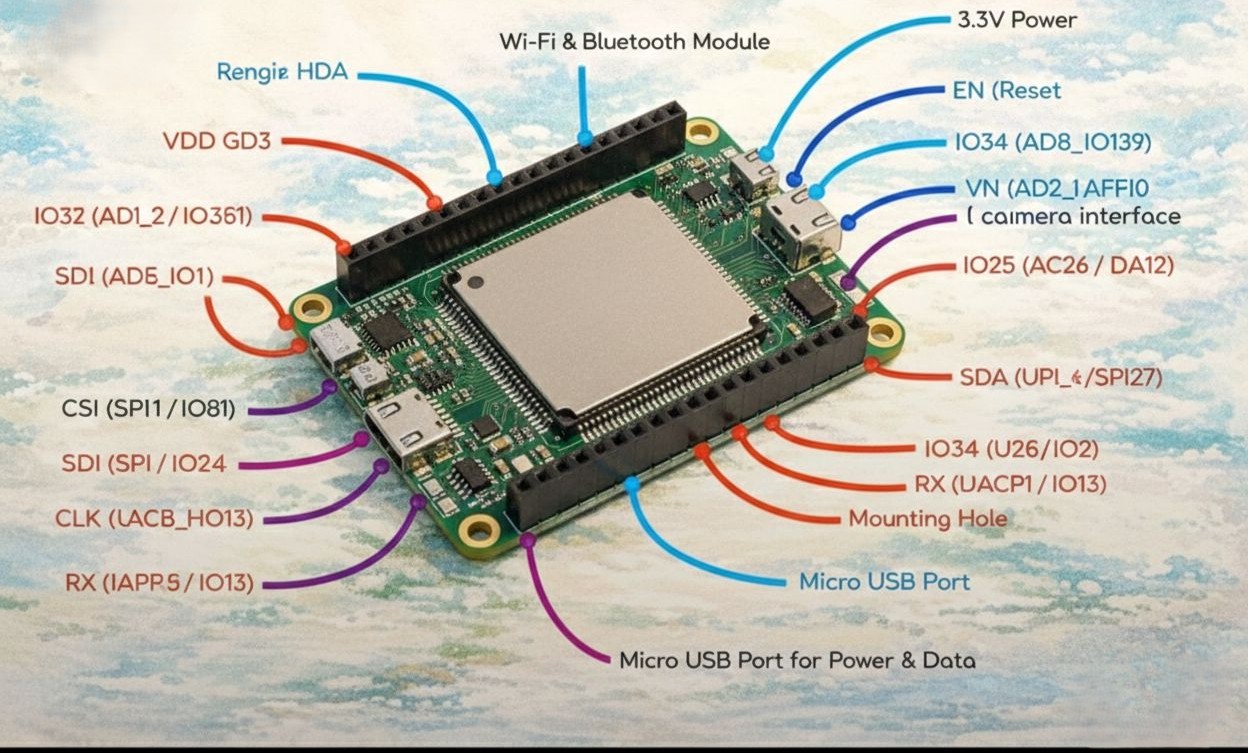
The Internet of Things (IoT) is no longer a futuristic concept; it’s a tangible reality that is rapidly transforming industries, homes, and daily life. At the heart of this revolution lies a myriad of tiny, yet incredibly powerful, devices. Among these, the ESP32 stands out as a true game-changer. More than just a microcontroller, it’s a versatile powerhouse that has democratized access to advanced IoT development. Whether you’re a seasoned embedded systems engineer or an enthusiastic hobbyist taking your first steps into the world of connected devices, understanding the ESP32’s pinout is the fundamental first step to unlocking its immense potential and building efficient, robust hardware.
This comprehensive guide will delve deep into the intricacies of the ESP32 pinout, demystifying each pin’s function and providing practical insights to help you harness its capabilities for your next innovative project. We’ll explore everything from power management and communication protocols to analog-to-digital conversion, touch sensitivity, and low-power modes. By the end of this article, you will possess the knowledge and confidence to correctly interface the ESP32 with various peripherals, sensors, and actuators, transforming your ideas into tangible, connected solutions.
The ESP32: A Modern IoT Marvel
The ESP32 family of microcontrollers, developed by Espressif Systems, has earned its reputation as the “Swiss Army Knife” for embedded engineering. Its blend of powerful processing capabilities, integrated Wi-Fi and Bluetooth connectivity, and an abundance of versatile General-Purpose Input/Output (GPIO) pins make it an ideal choice for a vast array of IoT applications. From smart home devices and industrial automation to wearable technology and advanced robotics, the ESP32 provides a cost-effective and highly capable platform for innovation.
The true magic of the ESP32, however, lies in its flexibility, a characteristic largely defined by its intricate pinout. Each pin on this small board is a gateway to a specific function, and understanding these functions is crucial for optimizing your designs, preventing potential conflicts, and ensuring reliable operation.
Powering Your ESP32: The Lifeblood of Your Project
Before any data can flow or any logic can execute, the ESP32 needs power. Proper power management is paramount for stable and efficient operation. The ESP32 typically operates at a logic level of 3.3V, which is a critical detail to remember when interfacing with other components.
3.3V Power Pin
The ESP32 features a dedicated 3.3V power output pin. This pin is primarily intended to supply power to external low-power sensors and components that also operate at 3.3V. It’s important not to draw excessive current from this pin, as it has limitations. Always consult the ESP32 datasheet for the maximum current rating to avoid damaging your board or connected peripherals. Overloading this pin can lead to voltage drops, instability, and potentially permanent damage to the ESP32 itself.
VIN for 5V Input
Many ESP32 development boards come equipped with a VIN pin. This pin allows you to supply power directly to the board using a 5V source, such as a USB charger or a 5V power supply. The development board typically incorporates an onboard voltage regulator that steps down the 5V input to the 3.3V required by the ESP32 chip. This is a convenient way to power your projects when a stable 5V source is available.
The EN (Enable) Pin: Your Hardware Reset
The EN (Enable) pin, often labeled as RST or EN, serves as the hardware reset for the ESP32. Pulling this pin low for a brief period will reset the microcontroller, restarting its execution from the beginning of your program. This is incredibly useful during development and debugging, allowing you to quickly restart your application without cycling the main power. In some advanced applications, the EN pin can also be controlled programmatically, enabling dynamic power cycling or recovery mechanisms.
Ground Pins (GND)
Crucial for any electronic circuit, the Ground (GND) pins provide the common reference point for all voltages on the board. You’ll find multiple GND pins distributed across the ESP32 development board. Always ensure all components in your circuit share a common ground with the ESP32 to prevent unexpected behavior and ensure proper signal integrity. Neglecting proper grounding can lead to noise, unreliable readings, and even damage to components.
Communication Protocols: Speaking to the World
The ESP32 is a master communicator, equipped with a comprehensive suite of serial communication protocols that allow it to interact seamlessly with a vast array of sensors, displays, and other microcontrollers. Understanding these protocols and their associated pins is fundamental to building interconnected IoT systems.
UART (Universal Asynchronous Receiver/Transmitter)
UART is one of the most common and straightforward serial communication protocols. It’s often used for debugging, sending data to a computer via a USB-to-serial converter, or communicating with other microcontrollers or serial devices. The ESP32 provides multiple UART interfaces, each with dedicated Transmit (TX) and Receive (RX) pins.
Most ESP32 development boards have a built-in USB-to-serial converter, which typically uses UART0 for communication with your computer. This allows you to upload code and monitor serial output directly through your IDE. You can also use the other UART interfaces for communication with external devices. For example, if you’re connecting a GPS module that communicates via UART, you would connect its TX pin to an ESP32 RX pin and its RX pin to an ESP32 TX pin.
A key advantage of UART is its simplicity, requiring only two wires for data transfer (TX and RX), plus a common ground. However, it’s typically used for point-to-point communication and doesn’t inherently support multiple master or slave devices on the same bus.
I2C (Inter-Integrated Circuit)
I2C, pronounced “eye-squared-see,” is a robust and widely used two-wire serial communication protocol known for its efficiency in connecting multiple low-speed peripheral devices to a microcontroller. It’s particularly popular for sensor interfacing due to its simplicity and ability to address multiple devices on the same bus. The ESP32 supports I2C communication, typically using two designated pins:
- SDA (Serial Data Line): This pin carries the actual data being transmitted between the ESP32 and the peripheral devices.
- SCL (Serial Clock Line): This pin provides the clock signal that synchronizes data transfer over the I2C bus.
The I2C protocol operates on a master-slave principle. The ESP32 typically acts as the master, initiating communication and controlling the clock. Each slave device on the bus has a unique 7-bit or 10-bit address, allowing the master to selectively communicate with specific devices. This means you can connect many I2C sensors (e.g., accelerometers, gyroscopes, temperature sensors, OLED displays) to the same two ESP32 pins, significantly simplifying wiring and reducing the number of GPIOs required.
SPI (Serial Peripheral Interface)
SPI is another popular serial communication protocol, often favored for its higher data transfer rates compared to I2C. It operates in full-duplex mode, meaning data can be sent and received simultaneously. SPI communication typically involves four wires:
- MOSI (Master Out Slave In): Data transmitted from the master (ESP32) to the slave device.
- MISO (Master In Slave Out): Data transmitted from the slave device to the master (ESP32).
- SCK (Serial Clock): The clock signal generated by the master to synchronize data transfer.
- CS (Chip Select) or SS (Slave Select): A dedicated line for each slave device, used by the master to select which slave it wants to communicate with. When a CS line is pulled low, the corresponding slave device is activated.
The ESP32 offers multiple SPI interfaces, allowing for flexible connections with various peripherals like SD card readers, LCD displays, Flash memory, and more. Because each slave device requires its own Chip Select line, SPI can consume more GPIO pins than I2C when managing many devices. However, its speed makes it ideal for applications requiring fast data exchange.
Analog Mastery: Bridging the Digital and Physical Worlds
The real world is inherently analog, full of continuous variations in temperature, light, sound, and pressure. To interact with this analog world, the ESP32 employs Analog-to-Digital Converters (ADCs) to translate analog signals into digital values and Digital-to-Analog Converters (DACs) to convert digital values back into analog signals.
18 ADC Channels: Reading the World
The ESP32 is exceptionally well-equipped with 18 Analog-to-Digital Converter (ADC) channels. This abundance of ADC channels allows the ESP32 to read a wide range of analog sensors, providing valuable data about the physical environment. Common applications include:
- Temperature sensors: Reading analog voltage outputs from thermistors or analog temperature sensors to determine ambient temperature.
- Light sensors: Sensing ambient light levels using photocells or photoresistors.
- Potentiometers: Reading the position of a knob or slider.
- Microphones: Capturing analog sound waves (though usually requiring additional amplification circuitry).
- Humidity sensors: Monitoring moisture levels in the air or soil.
Each ADC channel allows the ESP32 to measure an analog voltage and convert it into a discrete digital value. The resolution of the ESP32’s ADC is typically 12-bit, meaning it can represent analog values with 212 (4096) distinct levels. This provides a fine-grained measurement capability for most applications.
Pro-Tip: WiFi Conflict with ADC2 Pins: A crucial consideration for developers is the potential conflict between WiFi operations and certain ADC pins. Avoid using ADC2 pins when WiFi is active. The ADC2 controller is shared with the WiFi radio, which can lead to noisy or inaccurate readings if both are used simultaneously. For reliable sensor readings when WiFi is enabled, stick to ADC1 for your analog input needs. This simple rule can save you countless hours of debugging and ensure the integrity of your sensor data.
2 DAC Channels: Creating True Analog Signals
Beyond just reading analog inputs, the ESP32 also features 2 Digital-to-Analog Converter (DAC) channels. While less common than ADCs, DACs are equally important for applications that require the ESP32 to produce true analog output signals. This capability opens up possibilities for:
- Audio generation: Creating waveforms for sound synthesis or playing simple audio tones.
- Motor control: Providing analog voltage references for variable speed motor controllers.
- LED dimming: Achieving smooth and continuous brightness adjustments for LEDs where PWM (Pulse Width Modulation) might not be sufficient or desired.
- Analog instrumentation: Generating precise analog voltages for testing or calibration purposes.
The DAC channels convert discrete digital values from the ESP32’s processor into a continuous analog voltage output. This is distinct from PWM, which simulates analog behavior by rapidly switching a digital output on and off. DACs provide a true analog voltage, offering finer control and smoother output for sensitive applications.
Touch Sensitivity: Interactive Interfaces at Your Fingertips
The ESP32 goes beyond traditional button inputs by incorporating advanced capacitive touch sensitivity. This feature includes 10 capacitive touch pins, allowing you to transform virtually any conductive surface into an interactive element. This opens up a world of possibilities for creating innovative user interfaces and proximity sensors.
How Capacitive Touch Works
Capacitive touch sensing works by detecting changes in capacitance. When a human finger (or any conductive object) approaches or touches a conductive pad connected to a touch pin, it alters the capacitance of that pad. The ESP32’s internal circuitry can measure these subtle changes in capacitance. When the measured capacitance crosses a predefined threshold, the ESP32 registers a “touch” event.
Applications of Capacitive Touch
The 10 capacitive touch pins can be utilized in numerous creative ways:
- Touch buttons: Replacing mechanical buttons with sleek, durable, and sealed touch interfaces. This is ideal for devices that need to be waterproof, dustproof, or aesthetically minimal.
- Touch sliders/pads: Implementing touch-sensitive sliders for brightness, volume, or menu navigation.
- Proximity sensing: Detecting the presence of an object or hand without direct contact, useful for automatic light activation or gesture recognition.
- Liquid level sensing: Monitoring the level of liquids in a container by detecting changes in capacitance as the liquid approaches a touch pad.
- Wearable technology: Creating interactive surfaces on clothing or accessories.
Implementing capacitive touch with the ESP32 is relatively straightforward using its built-in touch sensor peripheral. You can configure sensitivity levels and thresholds in your code to suit different applications and materials. This feature dramatically enhances the user experience and broadens the scope of interactive IoT devices you can build.
Ultra-Low Power: Maximizing Battery Life
For many IoT applications, especially those operating on battery power, energy efficiency is a paramount concern. The ESP32 is designed with comprehensive power management features, including various sleep modes that allow it to conserve energy while still remaining responsive to critical events. A key aspect of this low-power design involves its specific RTC GPIOs (Real-Time Clock General-Purpose Input/Output).
Deep Sleep and RTC GPIOs
The ESP32 can enter a “deep sleep” mode, where most of its internal components, including the CPU and Wi-Fi/Bluetooth radios, are powered down to minimize current consumption. In this state, only the ultra-low-power (ULP) co-processor and the RTC (Real-Time Clock) domain remain active.
The significance of the RTC GPIOs is that they allow the ESP32 to stay “awake” just enough to trigger from external events while in deep sleep. This means your device can remain in a low-power state for extended periods, consuming minimal energy, but still be instantly woken up by a specific external stimulus.
Wake-Up Sources
RTC GPIOs can be configured as external wake-up sources for the ESP32 from deep sleep. Common use cases include:
- Button presses: A physical button connected to an RTC GPIO can wake up the ESP32 when pressed.
- Motion sensors: A PIR (Passive Infrared) sensor detecting movement can trigger an RTC GPIO interrupt, bringing the ESP32 out of deep sleep to perform an action (e.g., turn on a light, send a notification).
- Timer events: The internal RTC can be programmed to wake up the ESP32 at specific intervals, allowing it to perform periodic tasks like taking sensor readings or sending data before returning to deep sleep.
- Touch sensor events: As discussed earlier, the capacitive touch pins can also be configured as RTC GPIOs, allowing a touch event to wake the device.
By strategically utilizing these RTC GPIOs, developers can create highly energy-efficient IoT devices that can operate for months or even years on a single battery, making them ideal for remote monitoring, environmental sensing, and standalone applications where power access is limited. This intelligent power management is a cornerstone of effective IoT product design.
Pro-Tips for Developers: Navigating the Nuances
While the ESP32 is incredibly versatile, a few specific characteristics of its GPIOs require careful attention from developers to avoid unexpected behavior, ensure robust operation, and prevent potential damage. These “Pro-Tips” are gleaned from collective experience and are crucial for successful ESP32-based projects.
Input-Only GPIOs: Know Their Limits
Not all GPIO pins on the ESP32 are created equal. Specifically, GPIOs 34, 35, 36, and 39 are strictly Input Only. This means you cannot configure these pins as outputs to drive LEDs, control relays, or send digital signals. Attempting to do so will simply not work and could potentially lead to unexpected behavior or errors in your code.
These input-only pins are often used for sensitive analog inputs because they typically do not have internal pull-up or pull-down resistors that can introduce noise or affect sensor accuracy. Always consult the ESP32 documentation or a reliable pinout diagram for your specific development board to identify these input-only pins and plan your hardware connections accordingly. Using them solely for reading sensor data or detecting switch states will ensure reliable performance.
Strapping Pins: The Boot-Up Directors
The ESP32 has a set of special “strapping pins” that play a critical role during the device’s boot-up process. The state (high or low) of these pins at reset determines various operating modes and system configurations. Be careful with GPIOs 0, 2, 5, 12, and 15 during boot.
These pins influence crucial aspects such as:
- Boot mode (e.g., Firmware Download mode vs. Normal Boot mode): GPIO0 is particularly important here. If GPIO0 is held low during reset, the ESP32 enters download mode, allowing you to flash new firmware. If it’s high or floating, it enters normal boot mode.
- Flash voltage: GPIO12 can affect the flash voltage.
- SDIO slave mode: GPIO5, when high during boot, enables SDIO slave mode.
Why is this important? If you connect components to these strapping pins that inadvertently pull them high or low during the ESP32’s boot sequence, you might prevent your program from running correctly, cause the device to enter an unintended mode, or even prevent it from booting altogether.
Best practices for strapping pins:
- Avoid using them for general-purpose input/output during normal operation if possible, especially if your external circuitry might interfere with their boot-time state.
- If you must use them, ensure your external connections do not interfere with their intended boot-time configuration. For instance, if you’re using GPIO0 as a button, incorporate a pull-up resistor and ensure the button is released during reset to allow the ESP32 to boot normally.
- Be aware that some development boards might have internal pull-up/pull-down resistors on these pins, which can affect how you should connect external components.
Understanding and respecting the role of strapping pins is key to debugging boot-related issues and ensuring the consistent operation of your ESP32 projects.
Deep Dive into GPIO Capabilities: Beyond the Basics
While we’ve covered the major functionalities, it’s worth exploring some of the more advanced capabilities and considerations for the ESP32’s General-Purpose Input/Output (GPIO) pins. Each GPIO on the ESP32 is highly configurable, offering a wealth of options for tailored applications.
Interrupts: Reacting to the Unpredictable
Most ESP32 GPIOs can be configured to generate interrupts. An interrupt is a signal to the processor that an event has occurred, causing the CPU to temporarily suspend its current task and execute a specific piece of code (an Interrupt Service Routine, or ISR) to handle the event. This is incredibly powerful for:
- Event-driven programming: Instead of constantly polling (checking) the state of a pin, the ESP32 can “sleep” or perform other tasks until an interrupt signal (e.g., a button press, a sensor threshold crossing) wakes it up to respond.
- Real-time responsiveness: Ensures critical events are handled immediately, without delays caused by other ongoing processes.
- Power efficiency: Reduces the need for continuous CPU activity, saving power.
GPIO interrupts can be configured for various trigger types: rising edge, falling edge, change, low level, or high level. This flexibility allows you to precisely define when your ESP32 should react to external stimuli.
PWM (Pulse Width Modulation): Simulating Analog
While the ESP32 has true DAC channels, PWM is a ubiquitous technique for simulating analog outputs using digital signals. Many GPIOs on the ESP32 can be configured for PWM. By rapidly switching a digital pin between high and low states at a fixed frequency, and varying the “duty cycle” (the proportion of time the signal is high), you can effectively control the average voltage supplied to a device.
Common applications of PWM include:
- LED dimming: Creating smooth brightness control for LEDs.
- Motor speed control: Adjusting the speed of DC motors.
- Servo motor control: Precisely positioning servo motors.
- Tone generation: Creating simple audio tones or melodies.
The ESP32’s dedicated PWM (LEDC) peripheral allows for multiple independent PWM channels with configurable frequencies and resolutions, providing excellent control over various actuators.
Internal Pull-up and Pull-down Resistors
Most ESP32 GPIOs (with the exception of the input-only pins like 34-39) have configurable internal pull-up and pull-down resistors. These resistors are useful for ensuring a defined state for a pin when nothing external is connected or when an external switch is open.
- Pull-up resistor: Connects the pin to the supply voltage (3.3V). If nothing else is connected, the pin will read HIGH. Useful for buttons that connect to ground when pressed, so the button normally reads HIGH and goes LOW when pressed.
- Pull-down resistor: Connects the pin to ground. If nothing else is connected, the pin will read LOW. Useful for buttons that connect to 3.3V when pressed, so the button normally reads LOW and goes HIGH when pressed.
Using internal pull-ups/pull-downs simplifies circuit design by eliminating the need for external resistors, saving space and reducing component count. However, their resistance value is typically not as precise as external resistors, which might be a consideration for very sensitive applications.
GPIO Muxing (Multiplexing): Flexible Pin Assignments
One of the ESP32’s greatest strengths is its highly flexible GPIO multiplexing. This means that many internal peripherals (like UART, I2C, SPI, PWM, etc.) are not fixed to specific GPIO pins. Instead, you can choose which available GPIOs to assign to these peripherals through software configuration.
For example, while some common ESP32 development boards might default to using specific pins for I2C (like GPIO21 for SDA and GPIO22 for SCL), you can often define other available GPIOs for these functions in your code. This flexibility is invaluable when designing custom PCBs or when specific pin assignments are required due to physical layout constraints or conflicts with other components. Always refer to the ESP32 datasheet and your chosen development framework (e.g., Arduino IDE, ESP-IDF) for details on how to configure pin assignments programmatically.
Securing Your ESP32 IoT Devices: A Critical Imperative
In the rapidly expanding landscape of the Internet of Things, security is not an afterthought but a foundational requirement. An ESP32’s small size and powerful capabilities make it an attractive target for malicious actors if not properly secured. While the pinout mainly defines hardware interaction, understanding the security features inherent in the ESP32 and how they relate to development practices is crucial for professionals.
Hardware Security Features
The ESP32 series includes several hardware-level security features that bolster its robustness:
- Secure Boot: This feature ensures that only authenticated firmware can be executed on the ESP32. It prevents unauthorized code from running by verifying digital signatures of the bootloader, partition table, and application code. This is paramount to protect against firmware tampering and injection of malicious code.
- Flash Encryption: All or part of the data stored in the external flash memory can be encrypted. This protects sensitive data, such as private keys, configuration settings, or proprietary algorithms, from being read if the flash chip is physically accessed or removed.
- Digital Signature: The chip can use a digital signature to verify the authenticity of firmware updates, ensuring that only trusted sources can push new code to the device.
- eFuse (Electronic Fuses): The ESP32 incorporates eFuses, which are one-time programmable memory bits. These can be used to permanently disable certain debugging interfaces, disable specific security features once configured (e.g., preventing changes to flash encryption keys), or store unique device identifiers. Once an eFuse is blown, its state cannot be changed, providing a high level of security.
Best Practices for Secure Development
Integrating these hardware features with strong software development practices is essential for end-to-end security:
- Keep Firmware Updated: Regularly update your ESP32’s firmware to the latest versions. Espressif and the broader community frequently release security patches and improvements.
- Protect Credential Information: Never hardcode sensitive information like Wi-Fi passwords, API keys, or cloud service credentials directly into your source code. Use secure storage mechanisms, configuration files, or over-the-air (OTA) updates for provisioning.
- Secure Communication (TLS/SSL): When your ESP32 communicates over the internet, always use encrypted protocols like TLS (Transport Layer Security) or SSL (Secure Sockets Layer). The ESP32’s hardware-accelerated cryptographic modules make this efficient.
- Physical Security: In mission-critical deployments, consider the physical security of your ESP32 devices. Prevent unauthorized physical access if possible, as a determined attacker with physical access can bypass many software and even some hardware protections.
- Least Privilege: Design your application with the principle of least privilege. Give your ESP32 only the permissions and access rights it absolutely needs to perform its functions, reducing the attack surface.
- Input Validation: Always validate all inputs, whether from sensors, network connections, or user interfaces. Malformed inputs can be a vector for buffer overflows or other vulnerabilities.
- Random Number Generation: Use the ESP32’s hardware random number generator for cryptographic operations, rather than predictable software-based methods.
By diligently addressing security from the design phase through deployment, you can build
IoT solutions with the ESP32 that are not only powerful but also trustworthy and resilient against threats.
Advanced Use Cases and Community Resources
The true “massive power” of the ESP32, beyond its individual pin functions, comes from its ability to integrate into complex systems and leverage a vibrant global community.
Mesh Networking with ESP-NOW and ESP-MESH
The ESP32 isn’t limited to connecting to a single Wi-Fi access point or Bluetooth device. Espressif provides solutions for creating sophisticated mesh networks:
- ESP-NOW: A connection-less communication protocol that offers fast and flexible data transfer for up to 20 devices without the need for a router. It’s ideal for simple, low-latency device-to-device communication, like sensor data aggregation or remote control applications.
- ESP-MESH (Wi-Fi Mesh): This allows hundreds or even thousands of ESP32 devices to form a self-organizing, self-healing network. Devices can route data through intermediate nodes to reach more distant nodes or a central gateway, extending network coverage and improving reliability, especially in large deployments like smart cities or industrial campuses.
These mesh capabilities greatly enhance the scalability and robustness of IoT solutions built with the ESP32, allowing for distributed intelligence and decentralized control.
Over-the-Air (OTA) Updates: Future-Proofing Your Devices
One of the most critical features for professional IoT deployments is the ability to perform Over-The-Air (OTA) firmware updates. The ESP32 fully supports OTA updates, allowing you to deploy new features, bug fixes, and security patches to your devices remotely, without needing physical access. This is essential for:
- Long-term maintenance: Reduces maintenance costs and logistical challenges.
- Rapid iteration: Allows for quick deployment of new functionality.
- Security hardening: Enables prompt application of security fixes to mitigate newly discovered vulnerabilities.
Properly implemented OTA updates reduce downtime and prolong the lifespan of deployed devices, making your IoT products more resilient and adaptable.
Cloud Integration and Edge Computing
The ESP32’s built-in Wi-Fi and Bluetooth capabilities make it an excellent edge device for connecting to various cloud platforms. It can collect data from sensors, preprocess it at the “edge,” and then securely transmit it to cloud services like AWS IoT, Google Cloud IoT Core, Microsoft Azure IoT Hub, or private MQTT brokers for storage, analysis, and visualization.
- Edge Computing: By performing some data processing locally on the ESP32, you can reduce the amount of data sent to the cloud, lower latency for critical decisions, and enhance privacy by only sending aggregated or anonymized data.
- Cloud Connectivity: Libraries and SDKs for popular cloud platforms are readily available, simplifying the process of connecting your ESP32 devices to the backend infrastructure.
This hybrid approach leverages the best of both worlds: the ESP32’s power efficiency and real-time responsiveness at the edge, combined with the scalability and advanced analytics of cloud computing.
The ESP32 Ecosystem: Your Development Allies
The strength of the ESP32 is significantly amplified by its vibrant and supportive ecosystem.
- Espressif IDF (IoT Development Framework): This is Espressif’s official development framework, providing a robust set of tools, libraries, and examples for professional-grade development in C/C++. It offers maximum control and optimization for complex applications.
- Arduino Core for ESP32: For those familiar with the Arduino IDE and its simplicity, the Arduino Core provides an easy-to-use platform for developing ESP32 applications using a familiar API. This lowers the barrier to entry for hobbyists and students.
- MicroPython/CircuitPython: These Python implementations for microcontrollers allow you to program the ESP32 using Python, offering a much faster development cycle and easier readability, especially for projects that don’t require the absolute highest performance.
- PlatformIO: A powerful, cross-platform IDE and debugger that supports a wide range of embedded boards, including the ESP32, and integrates with various frameworks.
- Community Forums and Documentation: The ESP32 has an extensive community, with numerous forums, tutorials, and comprehensive documentation available online. This wealth of information is invaluable for troubleshooting, learning new techniques, and staying updated with the latest developments.
Leveraging these resources can dramatically accelerate your development process and help you overcome technical challenges.
Conclusion: The ESP32 – Your Gateway to Endless IoT Possibilities
The ESP32, with its compact form factor and extraordinarily rich pinout, truly embodies the concept of “small board, massive power.” From foundational elements like power management and diverse communication protocols to advanced features like extensive analog capabilities, capacitive touch sensing, and ultra-low power modes, it provides an unparalleled platform for innovation in the IoT space.
Understanding the nuances of its GPIOs – including input-only pins, strapping pin considerations, and the flexibility of pin multiplexing – is not just about avoiding errors; it’s about mastering the tool to build more efficient, reliable, and sophisticated connected devices. The ESP32’s inherent security features, coupled with its advanced networking capabilities like mesh networking and robust OTA updates, solidify its position as a go-to choice for both proof-of-concept projects and professional-grade deployments.
Whether you are crafting a simple smart switch, designing an intricate industrial control system, or developing a complex wearable device, the ESP32 empowers you to bring your vision to life. Its expansive ecosystem of development tools, frameworks, and a supportive global community ensures that you have all the resources necessary to navigate the exciting challenges of embedded systems engineering.
Embrace the power of the ESP32. Experiment with its pins, explore its features, and join the legion of innovators who are shaping the future of the Internet of Things.
Ready to architect the next generation of connected solutions? At IoT Worlds, we specialize in transforming ambitious ideas into functional, secure, and scalable IoT realities. Our experts can help you navigate the complexities of hardware design, firmware development, cloud integration, and everything in between. Whether you need assistance with specific ESP32 challenges, require end-to-end project development, or seek strategic guidance for your IoT product roadmap, we are here to help.
Don’t let the intricacies of embedded systems hold back your innovation. Unlock the full potential of your IoT projects with experienced professionals by your side.
Contact us today to discuss your vision and see how we can bring it to life.
📧 Send an email to info@iotworlds.com and let’s start building your future.
