

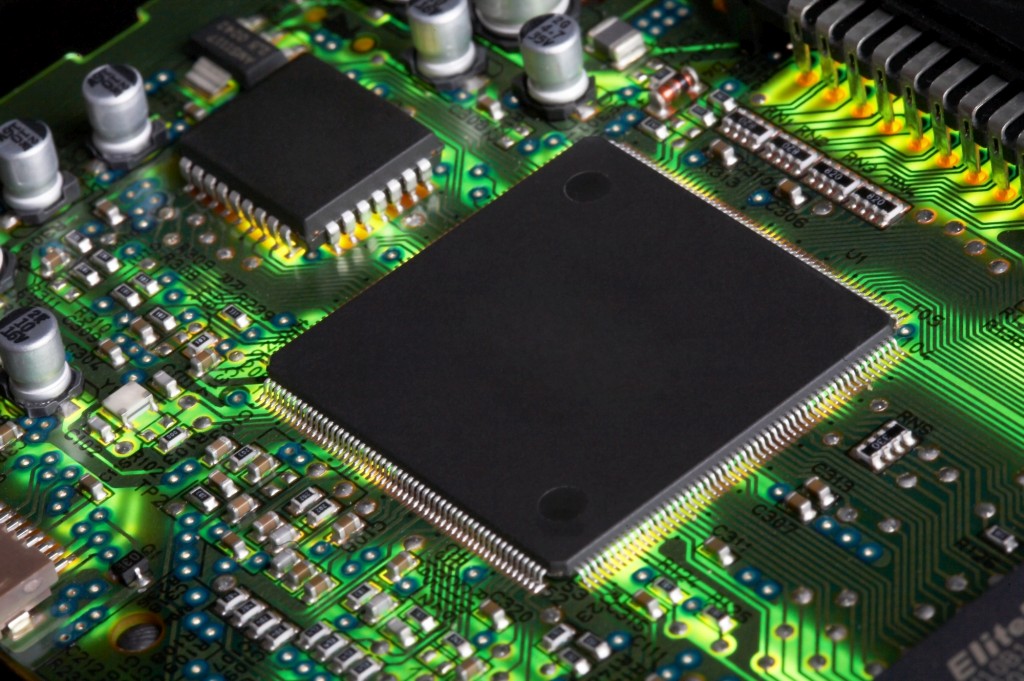
Microcontroller development boards are the unsung heroes of the IoT and embedded systems world. They are the brains that power everything from smart home devices to industrial automation. But for many, gazing upon a development board can be akin to staring at a complex city map without a legend – a bewildering array of pins, each with an arcane label. This article will demystify the microcontroller development board pinout, transforming that initial confusion into a clear understanding of your board’s capabilities.
Introduction to Microcontroller Development Boards
A microcontroller development board is a printed circuit board (PCB) that provides an easy-to-use platform for experimenting with and developing applications for microcontrollers. These boards typically include the microcontroller itself, along with essential support circuitry such as power regulators, clock oscillators, and programming interfaces. The true power of these boards, however, lies in their pinouts. Each pin serves a specific function, allowing the microcontroller to interact with the outside world. Understanding these functions is the first step towards building robust and reliable IoT solutions.
The Power Section: The Lifeblood of Your Project
Every electronic device needs power, and a microcontroller development board is no exception. The power section of your board’s pinout is absolutely critical, as it dictates how you supply electricity to the microcontroller and any connected components.
VDD (Voltage Drain-Drain) and VCC (Voltage Collector-Collector)
These pins are responsible for supplying the positive voltage to the board’s integrated circuits. While often used interchangeably in general contexts, VDD typically refers to the drain supply voltage in MOSFET (Metal-Oxide-Semiconductor Field-Effect Transistor) circuits, while VCC refers to the collector supply voltage in BJT (Bipolar Junction Transistor) circuits. On most modern microcontroller boards, VDD will generally be specified, often at 3.3V or 5V. This voltage is crucial for powering the microcontroller itself, as well as any sensors, modules, or external components you connect. It’s imperative to provide a stable and correct voltage to these pins; an incorrect voltage can damage your board permanently.
GND (Ground)
The Ground pin, or GND, is the reference point for all voltages on the board. It completes the electrical circuit, allowing current to flow. All components connected to your microcontroller – sensors, actuators, and power sources – must share a common ground reference. Failing to connect a common ground is a common mistake for beginners and can lead to erratic behavior or prevent your circuit from functioning at all. Think of GND as the essential return path for all electrical signals, ensuring a stable and reliable operating environment.
Understanding Power Requirements for External Components
Beyond just powering the microcontroller, the VDD and GND pins are your primary interface for powering external components. When integrating sensors, displays, or communication modules, you’ll typically connect their positive power input to VDD and their ground to GND. Always consult the datasheet of your external components to ensure they can operate at the voltage supplied by your development board. Some components might require different voltages, necessitating the use of voltage level shifters or separate power supplies. Efficient power management is not just about getting your device to turn on; it’s about minimizing power consumption for battery-operated devices and ensuring the longevity of your components.
Control Pins: Orchestrating the Microcontroller’s Behavior
Control pins are analogous to the conductor of an orchestra, directing the microcontroller’s fundamental operations. These pins are essential for managing the device’s state, particularly during development, debugging, and initial startup.
RST (Reset) and NRST (Non-Reset)
The Reset pin, often labeled RST or NRST (Non-Reset, indicating an active-low signal where a low voltage triggers a reset), allows you to restart the microcontroller program from the beginning. This is an invaluable feature during development when a program might encounter an error or get stuck in an unexpected state. Instead of cycling power to the entire board, a quick press of a reset button (which typically connects the RST pin to ground) can restart the microcontroller cleanly. Understanding the active-high or active-low nature of your board’s reset pin is crucial. An active-low reset means that the pin needs to be pulled low (connected to ground) to trigger a reset, while an active-high reset requires a high voltage (connected to VDD) to perform the same function.
Boot0 and Boot Select Pins
Many microcontrollers offer different boot modes, which determine how the microcontroller starts up and where it loads its initial program from. Pins like Boot0 are typically used to select these boot modes. For instance, one mode might load the program from internal flash memory (normal program execution), while another might activate a built-in bootloader. A bootloader is a small program permanently stored in a separate memory area that allows you to program new firmware onto the microcontroller, often via a serial interface. During development, you might set Boot0 to enable the bootloader for easy firmware uploads, and then reconfigure it for normal program execution once development is complete. Improperly configured boot pins can prevent your microcontroller from running your program or from being programmed at all.
The Role of Control Pins in Debugging
Beyond simple resets, control pins play a significant role in debugging. When combined with specialized debugging tools, these pins can provide access to the microcontroller’s internal state, allowing developers to step through code, inspect variable values, and diagnose complex issues. While this often involves more advanced hardware and software configurations, the foundation for these capabilities lies in the proper understanding and utilization of the control pins. Their ability to restart, enter programming modes, and provide debugging interfaces makes them indispensable tools for any serious embedded developer.
Communication Pins: Enabling Device Dialogue
In the interconnected world of IoT, communication is paramount. Microcontrollers rarely operate in isolation; they need to exchange data with sensors, other microcontrollers, computers, and ultimately, the cloud. Communication pins are the channels through which this vital data exchange occurs.
UART (Universal Asynchronous Receiver/Transmitter): TX and RX
UART is one of the most fundamental and widely used serial communication protocols. It’s an asynchronous protocol, meaning there’s no shared clock signal between the communicating devices. Instead, each device uses its own internal clock and agrees on a specific data transmission rate (baud rate). The UART pins are typically labeled TX (Transmit) and RX (Receive). The TX pin of one device connects to the RX pin of another, and vice-versa. This allows for a simple, two-wire communication link, commonly used for debugging messages to a computer (via a USB-to-serial converter), or for communicating with other serial devices like GPS modules, Bluetooth modules, or other microcontrollers. Understanding baud rates, parity, and stop bits is crucial for successful UART communication.
I²C (Inter-Integrated Circuit): SDA and SCL
I²C, pronounced “I-squared-C,” is a synchronous, multi-master, multi-slave serial bus developed by Philips. It’s widely popular for short-distance communication between integrated circuits on the same PCB. The I²C bus uses only two wires: SDA (Serial Data Line) and SCL (Serial Clock Line). SDA carries the data, while SCL carries the clock signal, synchronizing the data transfer. I²C is frequently used for communicating with sensors (temperature, humidity, accelerometers), real-time clocks (RTCs), EEPROM memory, and displays. Its ability to support multiple devices on the same bus, each with a unique address, makes it very efficient for connecting several peripherals to a single microcontroller. Pull-up resistors on both SDA and SCL lines are often required for proper operation, and their values are important to consider based on bus capacitance and operating frequency.
SPI (Serial Peripheral Interface)
While not explicitly called out in the prompt, SPI is another prevalent synchronous serial communication protocol. It typically uses four wires: MOSI (Master Out Slave In), MISO (Master In Slave Out), SCK (Serial Clock), and SS (Slave Select) or CS (Chip Select). SPI is often faster than I²C and is commonly used for communicating with flash memory, SD card modules, and certain display controllers. Each slave device on the SPI bus requires its own Slave Select line from the master.
USB Port: Power and Data Transfer
The USB (Universal Serial Bus) port has become ubiquitous in modern electronics. On a microcontroller development board, the USB port serves a dual purpose: it provides power to the board and acts as a data communication interface. For many boards, the USB port is the primary means of programming the microcontroller and for serial communication with a computer (often emulating a UART connection). This simplifies development, as you only need a single cable for both power and data. The underlying communication over USB can be complex, involving various USB classes (e.g., CDC for serial communication, HID for human interface devices).
Other Communication Protocols
Depending on the advanced features of your microcontroller, you might encounter pins for other communication protocols such as CAN (Controller Area Network) for automotive applications, Ethernet for network connectivity, or various wireless communication interfaces (Wi-Fi, Bluetooth, Zigbee). Each of these protocols has its own set of dedicated pins and requires specific libraries and configurations for proper operation. The versatility of a microcontroller’s communication capabilities directly impacts its suitability for a wide range of IoT projects.
GPIO (General Purpose Input/Output): The Flexible Interface
The GPIO pins are arguably the most versatile and frequently used pins on any microcontroller development board. As the name suggests, they are “general purpose” and can be configured to perform a multitude of functions, making them the workhorses of embedded systems.
Digital Input: Sensing the World
When configured as a digital input, a GPIO pin can detect the presence or absence of a voltage. This is how your microcontroller can “read” the state of a switch, a button, or a digital sensor. For example, pressing a button connects the GPIO pin to ground, and the microcontroller can detect this low voltage as a “0” or “false” state. Releasing the button might pull the pin high to VDD, registering a “1” or “true” state. Understanding pull-up and pull-down resistors is crucial here. They ensure that a digital input pin has a defined state (either high or low) when nothing is actively pulling it in one direction, preventing “floating” inputs that can lead to unpredictable behavior.
Digital Output: Controlling External Devices
Conversely, when configured as a digital output, a GPIO pin can set its voltage either high (VDD) or low (GND). This allows the microcontroller to control external devices. For instance, you could configure a GPIO pin as an output to turn an LED on (by setting the pin high) or off (by setting the pin low). Similarly, this functionality is used to switch relays, control motors via motor drivers, or send digital signals to other integrated circuits. Proper current limiting is important when driving external devices directly from GPIO pins to prevent damage to the microcontroller.
ADC (Analog to Digital Converter): Bridging the Analog and Digital Worlds
Many GPIO pins on a microcontroller have an internal Analog-to-Digital Converter (ADC). An ADC allows the microcontroller to measure analog voltages, converting them into digital values that the microcontroller can process. This is essential for interfacing with analog sensors, such as temperature sensors (thermistors), light sensors (photoresistors), or potentiometers. For example, a thermistor’s resistance changes with temperature, which can be converted into a varying voltage. The ADC then measures this voltage and provides a corresponding digital number, allowing your microcontroller to determine the ambient temperature. The resolution of the ADC (e.g., 10-bit, 12-bit) determines the precision of these measurements.
PWM (Pulse Width Modulation): Analog-like Control from Digital Signals
PWM is a technique that digitally generates an analog-like output. Instead of simply turning a pin fully high or fully low, a PWM output rapidly switches the pin between high and low states, varying the “duty cycle” – the percentage of time the signal is high during a period. By changing this duty cycle, you can effectively control the average voltage supplied to a device. This is incredibly useful for:
- Dimming LEDs: A higher duty cycle makes the LED brighter; a lower duty cycle makes it dimmer.
- Controlling Motor Speed: Varying the duty cycle of a PWM signal sent to a motor driver can adjust the motor’s rotational speed.
- Generating Analog Voltages: While not a true analog output, PWM can be filtered to produce a relatively stable analog voltage, useful for some applications.
Many GPIO pins are capable of generating PWM signals, often linked to internal timers, providing precise control over frequency and duty cycle.
Other GPIO Functions
Beyond these core functions, modern microcontrollers pack a punch, and individual GPIO pins can often be multiplexed to serve a variety of specialized functions, including:
- External Interrupts: Certain GPIO pins can be configured to trigger an interrupt when their state changes (e.g., a button press), allowing the microcontroller to respond immediately to external events without constantly polling the pin.
- Timers/Counters: Some GPIOs are associated with internal timers, enabling precise timing measurements, event counting, or generating specific waveforms.
- Comparators: Analog comparators allow you to compare an input voltage to a reference voltage, outputting a digital high or low based on the comparison.
- DMA (Direct Memory Access) Triggers: In advanced systems, GPIO events can trigger DMA transfers, allowing data to be moved between peripherals and memory without CPU intervention, freeing up the main processor for other tasks.
The flexibility of GPIO pins is what makes microcontrollers so powerful. A single pin can be repurposed for different tasks based on the application, optimizing resource utilization and simplifying hardware designs.
Why Pinout Knowledge is Paramount: Preventing Mistakes and Enhancing Designs
Understanding your microcontroller’s pinout is not merely a technical detail; it’s a foundational skill that unlocks efficient development and prevents costly errors.
Avoiding Wrong Connections and Component Damage
The most immediate benefit of pinout knowledge is preventing incorrect wiring. Connecting a sensor’s power pin to a data pin, or supplying the wrong voltage, can instantly damage components, leading to frustrating setbacks and unexpected expenses. A clear understanding of which pins are power, ground, digital I/O, or specific communication interfaces minimizes the risk of such mistakes. Moreover, it ensures that your components are receiving the correct signals and power, allowing them to function as intended.
Designing Efficient Circuits and Layouts
With a solid grasp of the pinout, you can design more efficient and compact circuits. Knowing which pins offer specific functionalities (e.g., hardware PWM, specific ADC channels, or available UART instances) allows you to strategically place components on your breadboard or PCB. This can lead to shorter wire runs, reduced signal noise, and a more organized and aesthetically pleasing prototype. For instance, if a sensor uses I²C, identifying the dedicated SDA and SCL pins on your board allows for a clean two-wire connection, rather than trying to bit-bang I²C on generic GPIOs (which is possible but far less efficient).
Effective Programming and Debugging
The software you write for your microcontroller directly interacts with its pins. If your code expects an LED on PA0 but you’ve connected it to PB7, your program won’t work as intended. Understanding the pinout ensures that your code correctly addresses the physical connections. Furthermore, during debugging, if a component isn’t behaving as expected, knowing the pin’s designated function helps in troubleshooting. Is it a power issue on VDD? Is the communication line (TX/RX) connected correctly? Is the GPIO configured for input when it should be an output? Pinout knowledge guides your debugging process, leading to quicker problem resolution.
Optimizing Resource Utilization
Modern microcontrollers are packed with peripherals, but these resources are finite. Knowing the pinout helps you make informed decisions about which pins to use for which functions. For example, if you need multiple PWM outputs, you’ll identify the GPIOs capable of PWM. If you require several analog inputs, you’ll consult the pinout to see how many ADC-enabled pins are available. This prevents you from running out of essential resources late in your project and forces you to choose a different microcontroller or redesign your approach.
Scalability and Future-Proofing
A thorough understanding of the pinout also contributes to the scalability and future-proofing of your projects. If you plan to upgrade your microcontroller or migrate your project to a different development board, having a conceptual understanding of pin functions (beyond just “Pin 1”) makes the transition smoother. You’ll be able to quickly identify equivalent functionalities on the new board, reducing the learning curve and adaptation time. This is especially true when moving from a development board to a custom PCB where you need to lay out all components from scratch.
Advanced Considerations and Best Practices
As you delve deeper into microcontroller development, there are several advanced considerations and best practices related to pinouts that can significantly improve your designs.
Pin Multiplexing and Alternate Functions
Many microcontroller pins are “multiplexed,” meaning they can serve multiple functions. For example, a single physical pin might be configurable as a digital input, a digital output, an ADC input, a PWM output, an I²C data line, or a UART transmit line. The specific function of a pin is determined by configuring internal registers within the microcontroller. Always consult the microcontroller’s datasheet for a comprehensive list of alternate functions for each pin. When programming, you’ll typically use libraries or hardware abstraction layers (HALs) that simplify the configuration of these alternate functions.
Electrical Characteristics and Limitations
Beyond just the function, understanding the electrical characteristics of each pin is vital. This includes:
- Absolute Maximum Ratings: These specify the maximum voltage and current that a pin can tolerate without being damaged. Exceeding these limits, even momentarily, can permanently destroy the microcontroller.
- Sink and Source Current: GPIO pins have limits on how much current they can “sink” (allow to flow into the pin) or “source” (allow to flow out of the pin). This is crucial when directly driving LEDs or small relays. Exceeding these current limits can damage the internal circuitry of the microcontroller.
- Input Impedance: For analog inputs, the input impedance of the ADC is important, especially when connecting high-impedance sensors.
- Pull-up/Pull-down Resistors: Many microcontrollers have internal pull-up and pull-down resistors that can be enabled programmatically, simplifying circuit design for buttons and switches.
Interfacing with Different Voltage Levels
It’s common to encounter sensors or modules that operate at different voltage levels than your microcontroller (e.g., a 5V sensor connected to a 3.3V microcontroller). In such cases, logic level shifters are indispensable. These small circuits safely translate voltage levels between devices, preventing damage to the lower voltage component. Never directly connect a higher voltage output to a lower voltage input without proper level shifting.
Power Decoupling and Filtering
While not strictly about pinouts, proper power management extends to the surrounding circuitry. Decoupling capacitors placed close to the VDD and GND pins are essential for filtering out noise and providing stable power to the microcontroller. These capacitors act as tiny reservoirs of charge, supplying sudden current demands and smoothing out voltage fluctuations that can arise from switching operations.
Shielding and EMI/EMC Considerations
In complex IoT projects, especially those involving wireless communication or high-speed data transfer, electromagnetic interference (EMI) and electromagnetic compatibility (EMC) become important. Proper PCB layout, including grounding planes, signal routing, and shielding, plays a significant role in minimizing interference. While a full discussion of EMI/EMC is beyond the scope of a pinout article, understanding the sensitivity of communication pins and analog inputs to noise can help guide your physical layout decisions.
Prototyping Tools and Best Practices
When working with development boards, several tools and practices can make your life easier:
- Breadboards: These allow you to rapidly prototype circuits without soldering.
- Jumper Wires: Essential for connecting components on a breadboard or between the board and peripherals.
- Multimeter: An invaluable tool for checking voltages, continuity, and diagnosing power issues.
- Oscilloscope: For observing signal waveforms, especially helpful for debugging communication protocols or analyzing PWM signals.
- Datasheets and Documentation: Always refer to the official datasheets for your microcontroller and development board. They contain the most accurate and detailed information about pin functions, electrical characteristics, and operating parameters.
- Online Communities and Forums: When you get stuck, online communities are a vast resource for troubleshooting and finding solutions.
The Future of Microcontroller Pinouts and IoT
As IoT devices become more sophisticated, the demands on microcontroller pinouts will continue to evolve. We can expect to see:
- Increased Integration: More peripherals and communication interfaces will be integrated directly into the microcontroller silicon, potentially leading to more specialized pin functions and fewer generic GPIOs.
- Higher Speed and Bandwidth: The need for faster data processing and communication will drive advancements in high-speed serial interfaces and dedicated hardware accelerators.
- Power Efficiency: Optimization for low-power operation will remain a critical focus, influencing how power pins are designed and how peripherals are enabled/disabled.
- Security Features: Dedicated hardware for cryptography and secure boot mechanisms will become more common, with associated control and configuration pins.
- Machine Learning at the Edge: Microcontrollers capable of running machine learning models at the edge will require specialized pins for accelerator interfaces or efficient memory access.
Regardless of these future advancements, the fundamental principles of understanding power, control, communication, and general-purpose I/O will remain cornerstones of microcontroller development. The ability to decipher a pinout will continue to be a vital skill for anyone building the next generation of connected devices.
Conclusion
The pinout diagram of a microcontroller development board is far more than just a jumble of labels; it’s the blueprint that reveals the board’s entire functional architecture. From the essential VDD and GND pins that provide life, to the control pins that orchestrate behavior, the communication pins that enable device dialogue, and the supremely flexible GPIOs that interact with the physical world, each pin plays a crucial role.
Mastering the art of understanding a pinout empowers you to:
- Connect components correctly and safely.
- Design efficient and reliable circuits.
- Debug problems quickly and effectively.
- Optimize your code for hardware interaction.
- Unlock the full potential of your microcontroller for innovative IoT solutions.
In the journey of becoming a proficient embedded systems developer, the knowledge contained within a pinout diagram is indispensable. Take the time to study it, experiment with different pin configurations, and truly understand the capabilities of your chosen development board. This investment will pay dividends in the form of successful projects and a deeper appreciation for the intricate dance between hardware and software.
Are you ready to transform your ideas into tangible IoT innovations? Do you need expert guidance to navigate the complexities of microcontroller development, pinout configurations, and robust system design? IoT Worlds specializes in providing cutting-edge solutions and insights for the Internet of Things ecosystem. We can help you with everything from initial concept to deployment, ensuring your projects are built on a solid foundation of expertise.
To learn more about how IoT Worlds can accelerate your next project or to discuss your specific needs, send an email to info@iotworlds.com. Let’s build the future of IoT together!
